What is an Operating System? A Complete Guide to OS Basics
A comprehensive beginner's tutorial explaining what is an operating system, its architecture, core functions, and modern trends.

Long Nguyen
Fullstack Developer · AI Engineer · Researcher
Introduction: Understanding What is an Operating System
If you are stepping into the world of IT, one of the first questions you must answer is: what is an operating system? At its core, an operating system (OS) is the foundational layer of code that manages a device's hardware and software resources. Without it, your computer or mobile device would simply be a useless collection of metal and silicon. Understanding OS basics is the definitive gateway to mastering modern technology.
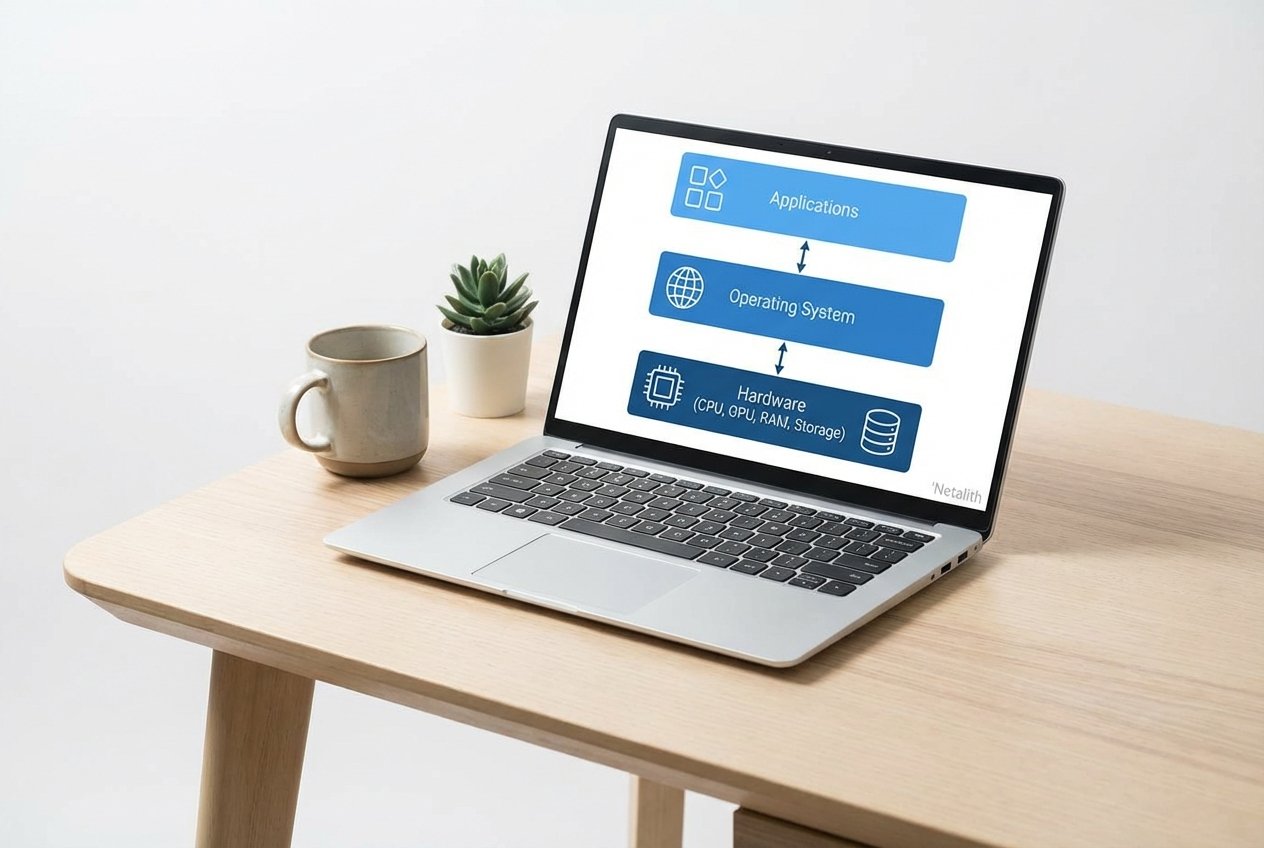
When beginners ask system software, they are essentially asking how a machine translates human commands into electronic actions. Serving as a robust computer platform, an OS acts as an indispensable bridge between the physical hardware and the end-user. Whether you are using a desktop, a smartphone, or a massive server rack, you rely heavily on this critical piece of OS software. In this beginner-friendly Netalith guide, we will cover essential system software basics, helping IT students and computer science enthusiasts confidently grasp system software and how it functions.
Core Functions of an Operating System Tutorial
To fully answer system software, we have to look at what it actually does. Understanding how a machine manages its workload starts with this core functions of an operating system tutorial. An OS wears many hats to keep a computer running smoothly, primarily acting as a director that ensures every application gets the resources it safely requires to function.
Resource Allocator & Hardware Abstraction Layer
At a fundamental level, the system serves as the ultimate resource allocator. When multiple programs run simultaneously, they all demand CPU processing time, memory, and disk access. The OS objectively decides which program gets what resource, preventing software conflicts and catastrophic system crashes. Furthermore, it provides a crucial hardware abstraction layer. Because of this layer, software developers do not need to write unique code for specific hardware brands; instead, they communicate directly with the hardware abstraction layer, which translates application instructions into hardware-specific actions.
Process Management & Memory Management Basics
As you progress in your IT journey, you will likely study a dedicated process management tutorial. Process management dictates how the OS securely creates, schedules, suspends, and terminates processes (programs in execution). Closely tied to this are memory management basics. The system actively tracks every byte of memory (RAM), deciding which processes are loaded into memory and managing the transfer of data between the volatile RAM and permanent disk storage. Additionally, it organizes data using various file system types—such as NTFS, APFS, or ext4—ensuring that your valuable information is stored, retrieved, and updated efficiently.
Operating System Architecture & Components for Students
Another key angle in understanding system software involves examining its internal build. Breaking down the operating system components for students makes complex computer science concepts highly accessible. The overarching operating system architecture is structured logically to keep the device secure, stable, and user-friendly, separating foundational mechanics from user-facing apps.
Kernel vs User Space
The most important concept in OS architecture is the strict division between kernel vs user space. The kernel is the invisible core of the OS, running with absolute control over everything in the system. It handles core memory allocations, CPU operations, and hardware communication. User space, on the other hand, is a restricted memory area where your everyday applications and OS utility programs run safely. By forcefully separating the kernel vs user space, the OS ensures that a crashing web browser operating in the user space cannot bring down the entire system.
User Interface Types
How humans interact with all this underlying code ultimately comes down to user interface types. A graphical user interface (GUI) uses windows, icons, and menus, making it intuitive for general audiences. Conversely, a command-line interface (CLI) requires users to manually type text commands. IT professionals and system administrators frequently rely on CLI-based user interface types because they offer greater granularity, control, and efficiency when configuring the system.
Introduction to Operating System Functions and Types
Defining system software also depends heavily on the specific environment it is designed for. Over the decades, these systems have evolved significantly to meet the growing, complex demands of networking and localized computing. This introduction to operating system functions and types highlights the progression of computing power.
Batch Processing & Time-Sharing Systems
In the early days of mainframe computing, batch processing systems were the industry standard. Users would submit jobs in batches, and the computer would execute them sequentially without direct user interaction. As hardware improved exponentially, time-sharing systems were developed to maximize efficiency. These systems allow multiple users to connect to a single computer simultaneously, sharing its resources by rapidly switching the CPU's attention among the users, giving everyone the illusion of having a dedicated machine.
Multiprogramming vs Multitasking
A common point of confusion for IT beginners is distinguishing between multiprogramming vs multitasking. Multiprogramming involves keeping multiple programs in the main memory at the same time to maximize CPU utilization; when one active program pauses for I/O tasks (like reading a disk), the CPU instantly switches to another. Multitasking takes this logic a step further by rapidly switching between tasks on a timed basis (time-slicing), allowing modern users to interact seamlessly with multiple active applications at once.
Modern OS Trends and the Future of Computing
If someone asks you system software in the current era, the answer must include future-facing tech. Looking at modern operating systems trends, the landscape is more dynamic than ever. A modern computer OS must go far beyond basic file storage and scheduling. Today, we are seeing the deep integration of artificial intelligence directly into the OS layer, enabling predictive memory management and automated real-time security patching.
Furthermore, as cloud-native environments continue to mature, lightweight and highly modular operating systems have become the standard, ensuring lightning-fast boot times and enhanced container orchestration for developers. These advancements ensure that the computer platform remains resilient in the face of evolving cybersecurity threats.
Conclusion: Mastering OS Basics
Understanding what is an operating system for beginners is the first major milestone in any technical education. From managing hardware through a hardware abstraction layer to providing a user-friendly interface, the OS is the heartbeat of modern computing. By mastering these OS basics and understanding what is an operating system, you lay the groundwork for more advanced studies in system administration, cybersecurity, and software development. Whether you are troubleshooting a desktop or deploying a server, the principles of system software remain the foundation of your success.
Frequently Asked Questions (FAQ
What is the main purpose of an operating system?
The main purpose is to successfully manage computer hardware and software resources, providing a stable, secure, and abstraction-layered platform for application programs to run efficiently without hardware conflicts.
What are the most common examples of operating systems?
Common examples include Microsoft Windows, macOS, Linux (such as Ubuntu, Debian, or CentOS), Android, and iOS.
What is the difference between system software and application software?
System software, like an OS, manages and controls background hardware tasks, acting as a foundational platform. Application software (like web browsers, games, or word processors) runs on top of the system software to perform specific, user-directed tasks.
What is a kernel in an operating system?
The kernel is the central, foundational component of the OS architecture. It remains in the main memory upon boot and manages low-level critical tasks such as disk management, task management, and memory allocation. In summary, a strong what is an operating system strategy should stay useful long after publication.