Process Management Tutorial: Life Cycle, States, and PCB Guide
A complete guide to process management in operating systems, covering life cycles, states, PCB, and task scheduling.

Long Nguyen
Fullstack Developer · AI Engineer · Researcher
Introduction to This Process Management Tutorial
Welcome to this comprehensive process management tutorial. Whether you are a beginner IT student or an aspiring system administrator, understanding how operating systems handle software execution is vital. To start, you might ask: what is an operating system fundamentally doing behind the scenes? At its core, an OS is an intricate orchestrator responsible for task management, memory allocation, and hardware communication. This guide explains process management process management tutorial in practical, evergreen terms.
Whenever you launch an application or run a script, the operating system translates that action into OS processes. Managing these processes ensures that your computer runs smoothly, without applications crashing into one another or hogging system resources. In this process management tutorial, we will explore the life cycle of a process, how the system tracks them, and the underlying mechanics that keep your machine stable and responsive. For teams evaluating process management process management tutorial, this section provides the core context.
What is a Process in an Operating System?
If you have ever read a running processes tutorial, you know that a program and a process are two very different concepts. A program is a passive entity—simply a file containing a list of instructions stored on disk. A process, however, is a program in execution. It is an active entity.
Proper program execution management requires the operating system to allocate resources, manage memory space, and isolate tasks so they do not interfere with one another. To do this securely, the operating system utilizes strict boundaries between the kernel vs user space. User applications run in the user space with limited permissions, while core OS processes that require direct hardware access run in the kernel space. The OS acts as the bridge between these two spaces, safely directing traffic and ensuring stability.
Stages of a Process Life Cycle Explained
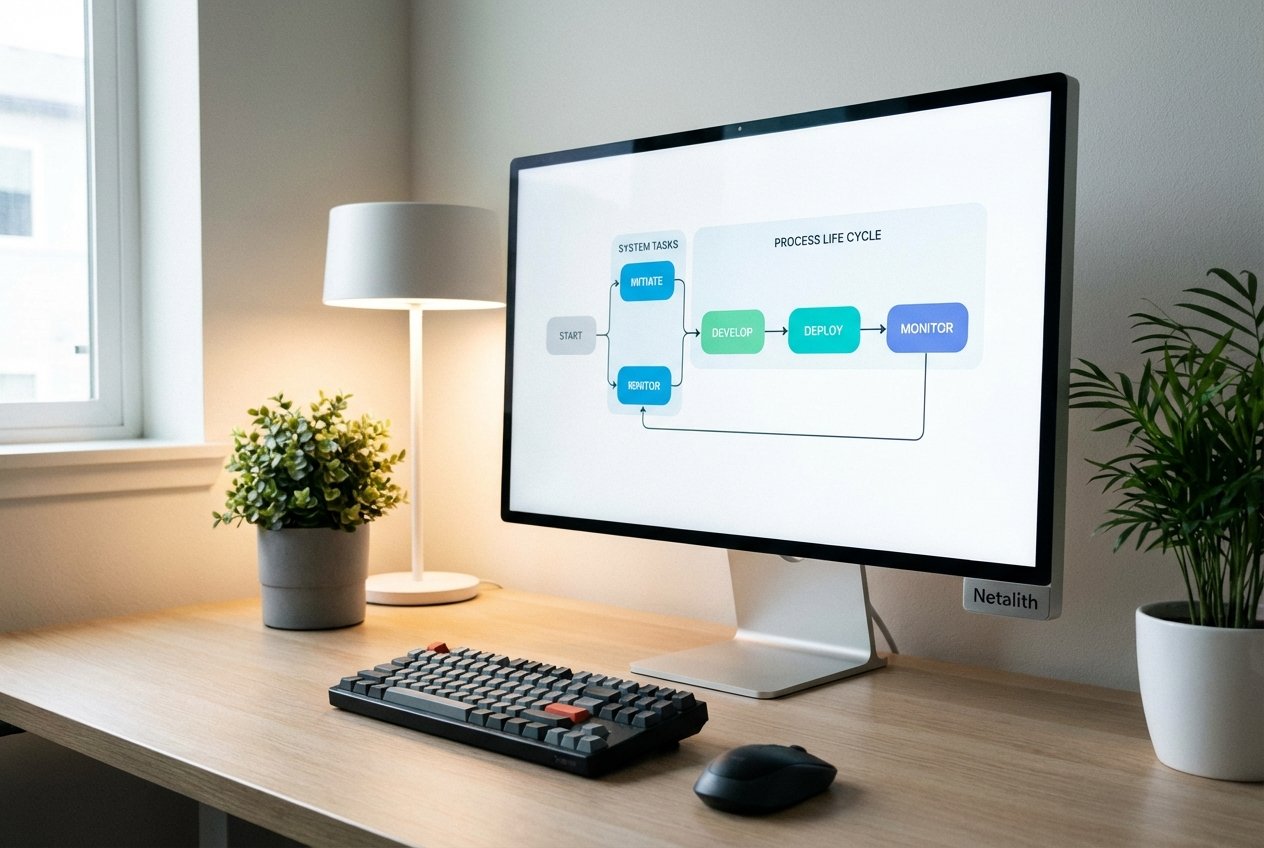
When you execute a program, it does not simply run start-to-finish without interruption. Instead, it cycles through various process states as dictated by the OS scheduler. Having the stages of a process life cycle explained is crucial to understanding why some applications feel snappy while others lag.
As a process moves through its life cycle, it undergoes a process state transition. These transitions occur when a process requires a resource, gets paused by the CPU, or finishes its execution.
New, Ready, and Running States
- New: The process is currently being created. The OS is setting up its control blocks and allocating memory.
- Ready: The process is loaded into main memory and is waiting to be assigned to a processor. Multiple processes can reside in the ready queue simultaneously.
- Running: Instructions are actively being executed by the CPU. On a single-processor system, only one process can be in the running state at any given microsecond.
Blocked (Waiting) and Terminated States
- Blocked (Waiting): If a process needs to wait for an external event—such as user input, a file to load, or a network response—it undergoes a process state transition to the blocked state so the CPU can work on other ready tasks.
- Terminated: The process has finished executing or has been forcefully killed. The OS reclaims its memory and system resources.
Process Control Block Tutorial for Students
How does the operating system remember the exact state of a process when it pauses and resumes execution? This is where our process control block tutorial for students comes into play.
Every process is represented in the operating system by a Process Control Block (PCB). You can think of the PCB as a passport or ID card for a process. It contains essential task management internals that the OS needs to manage the process effectively. A typical PCB includes:
- Process State: The current state (New, Ready, Running, Blocked, Terminated).
- Program Counter: The address of the next instruction to be executed.
- CPU Registers: Information that must be saved when an interrupt occurs to allow the process to resume correctly.
- Memory Management Information: Page tables, segment tables, and limits detailing where the process lives in RAM.
- Accounting Information: CPU time used, time limits, and execution logs.
How Processes are Created and Terminated in OS
Understanding how processes are created and terminated in OS architecture is another fundamental pillar of system administration. Typically, an existing process (the parent) creates a new process (the child). In Unix/Linux systems, this is often done using the fork() system call.
When discussing process creation, it is helpful to look at forking vs threading. Forking creates an entirely new, independent process with its own memory space and PCB. Threading, on the other hand, creates a new execution sequence within the same process, sharing the same memory and resources, making it lighter and faster to create.
Child Processes, Zombie and Orphan Processes
Once created, child processes run alongside or in place of the parent process. However, if termination is not handled cleanly, two specific anomalies can occur: zombie and orphan processes.
- Zombie Process: A child process that has completed its execution but still has an entry in the process table. This happens because the parent process has not yet read the child's exit status.
- Orphan Process: A child process that continues to run even after its parent has terminated or crashed. The operating system (usually an init or systemd process) ultimately "adopts" these orphans to ensure they are properly cleaned up.
Context Switching and Task Scheduling Basics
Because modern operating systems run hundreds of processes on a limited number of CPU cores, they must rapidly switch between tasks. This introduces us to task scheduling basics and the context switching process.
A context switch is the actual mechanism the OS uses to stop one process and start another. During the context switching process, the OS saves the state of the currently running process into its PCB and loads the state of the next process from its respective PCB. While essential for multitasking, context switching is computationally expensive—it takes time but produces no direct productive work for the user.
To determine which process gets the CPU next, the OS utilizes scheduling algorithms. It is vital to differentiate between job scheduling vs CPU scheduling. Job scheduling (long-term scheduling) decides which tasks are admitted into the ready queue from the disk. CPU scheduling (short-term scheduling) decides which of those ready tasks gets immediate access to the processor.
Conclusion: Mastering This Process Management Tutorial
Thank you for reading this process management tutorial. By now, you should have a solid grasp on how an operating system turns static programs into active, managed processes. We have explored process states, unpacked the importance of the PCB, and demystified how task scheduling basics keep modern devices running seamlessly.
As we observe modern OS trends, we see operating systems becoming even more efficient at handling thousands of lightweight threads and isolating processes for enhanced security. Consider this article your complete guide to process management and life cycle in OS. Stay tuned to Netalith for more deep dives into the core architecture of computing. In summary, a strong process management process management tutorial strategy should stay useful long after publication.