OS Virtualization Guide: Understanding Hypervisors, VMs, and Containers
A complete OS virtualization guide covering hypervisor basics, the difference between virtual machines and containers, and modern cloud OS trends.

Long Nguyen
Fullstack Developer · AI Engineer · Researcher
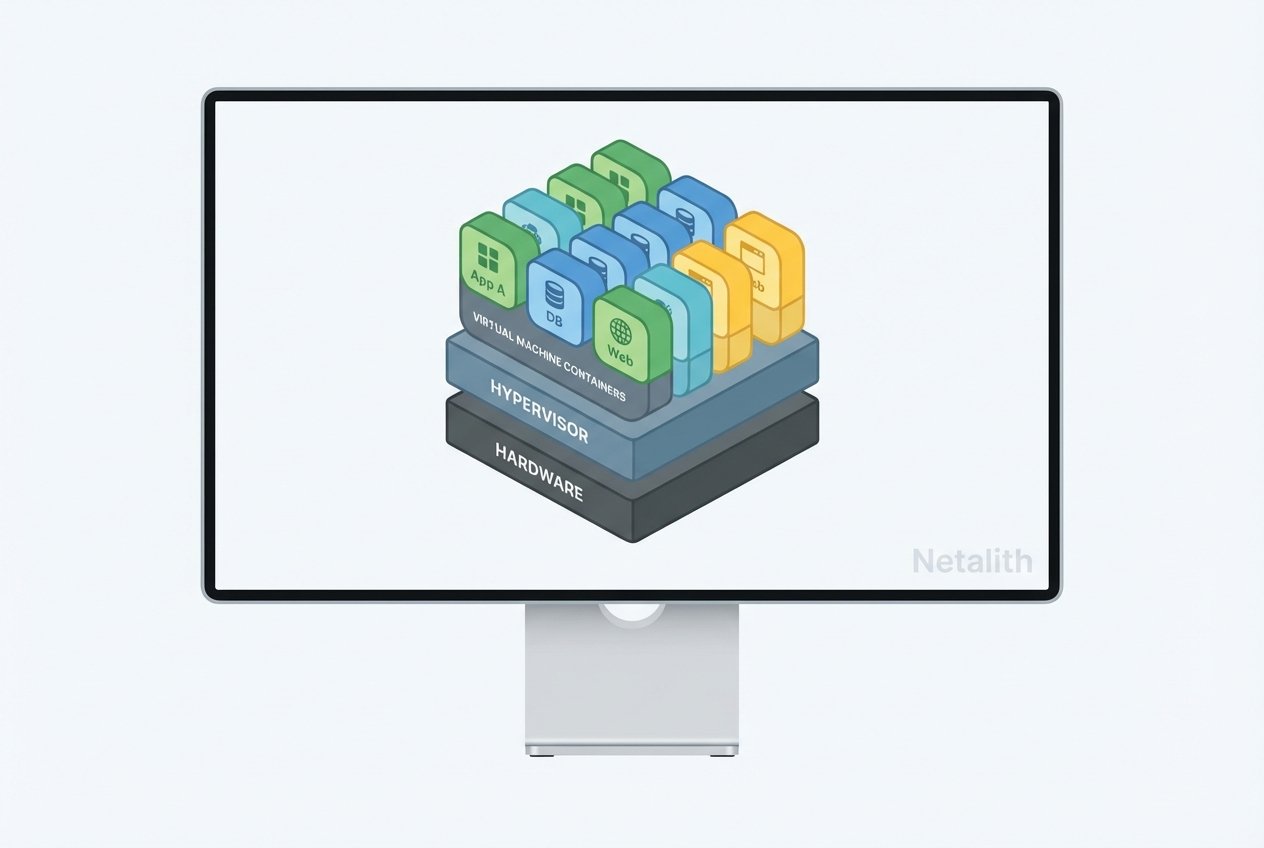
If you have ever wondered how modern data centers host thousands of applications seamlessly or how cloud computing environments maintain strict security boundaries, the answer lies in virtualization. Before diving deep into the technicalities, it helps to first ask: what is an operating system? At its core, an OS manages hardware resources and provides services for computer programs. However, traditional operating system architecture assumes that a single OS has exclusive, bare-metal control over the underlying hardware. This guide explains OS virtualization guide in practical, evergreen terms.
This is where OS virtualization changes the game. By abstracting the hardware, multiple isolated systems can run concurrently on a single physical machine. Welcome to your ultimate OS virtualization guide. Whether you are a beginner IT student or an aspiring system administrator, grasping these virtualization technology basics is essential for understanding how today's infrastructure operates.
Understanding Hypervisors: The Foundation of Virtualization
To fully grasp how multiple systems share a single physical host, you need to understand hypervisor basics. A hypervisor is the foundational software layer that makes hardware abstraction possible.
What is a Hypervisor (VMM)?
A hypervisor, also known as Virtual Machine Monitors VMM, is a specialized piece of software, firmware, or hardware that creates and runs virtual machines. It sits between the physical hardware and the virtualized environments, allocating resources like CPU, memory, and storage dynamically. By enforcing strict isolation, the hypervisor ensures that a crash in one virtualized environment does not impact the others.
Type 1 vs. Type 2 Hypervisors Explained
When categorizing hypervisor architecture types, there are two primary categories. Having how type 1 and type 2 hypervisors work explained is crucial for knowing which deployment model suits a specific use case.
- Type 1 Hypervisors (Bare-Metal): These hypervisors run directly on the host's physical hardware without the need for an underlying operating system. Because they bypass a host OS, they are highly efficient and secure. Examples include VMware ESXi and Microsoft Hyper-V.
- Type 2 Hypervisors (Hosted): These run as an application on top of a conventional host operating system. While they introduce a bit more latency, they are incredibly useful for endpoint environments, software testing, and personal use. Examples include Oracle VirtualBox and VMware Workstation.
Virtual Machines (VMs) Explained: A Virtual System Tutorial
In this virtual system tutorial, the next logical step is understanding the environments that hypervisors create: Virtual Machines. A virtual machine acts as a complete, self-contained computer, running its own operating system and applications.
Guest vs. Host Operating Systems
A vital concept in any OS virtualization guide is the relationship between guest vs host operating systems. The host OS is the underlying software running on the physical hardware (in the case of a Type 2 hypervisor). The guest OS is the operating system installed inside the virtual machine itself. Because the guest OS believes it has direct access to hardware, modern VMs rely heavily on hardware-assisted virtualization (such as Intel VT-x or AMD-V) to translate instructions efficiently.
Full Virtualization vs. Para-Virtualization
When exploring how the guest OS interacts with the hypervisor, you will encounter the debate of para-virtualization vs full virtualization.
- Full Virtualization: The guest OS operates completely unaware that it is being virtualized. The hypervisor translates all hardware calls, providing maximum compatibility.
- Para-Virtualization: The guest OS is modified to know it is virtualized. It communicates directly with the hypervisor to manage resources, drastically improving efficiency.
Both methods rely on sophisticated resource isolation techniques to ensure that each VM remains secure and distinct from its neighbors.
Operating System-Level Virtualization and Containers
While traditional VMs virtualize the hardware, modern development has shifted toward virtualizing the operating system itself. Understanding operating system level virtualization for beginners is the key to mastering modern application deployment.
OS-Level Virtualization and Linux Namespaces
OS-level virtualization involves a single operating system kernel managing multiple isolated user-space instances. These instances are commonly referred to as containers. This technology is built on core kernel features—most notably chroot and namespaces in Linux, as well as cgroups, which restrict and isolate the application's view of the operating environment.
VM vs Containers: A Comparison Tutorial
The conversation around VM vs containers is one of the most important in modern IT. Consider this section your definitive difference between virtual machines and containers tutorial.
While a virtual machine includes a full copy of a guest OS, virtual hardware, and application libraries, a container only includes the application and its necessary dependencies. It shares the host system's kernel. When looking at containerization vs virtualization performance, containers start almost instantly and require far fewer system resources. However, VMs offer stronger isolation because they do not share an OS kernel.
The Future: The Role of Virtualization in Modern Cloud OS
The role of virtualization in modern cloud OS environments has evolved significantly. One of the top modern OS trends is the seamless integration of lightweight microVMs and serverless architectures.
Cloud providers are increasingly utilizing technologies that offer the speed of containers with the security of traditional VMs. This evolution is reshaping the boundaries between kernel vs user space, allowing for highly distributed, resilient, and auto-scaling cloud operating systems.
Conclusion: Wrapping Up the OS Virtualization Guide
We hope this comprehensive OS virtualization guide has demystified the complex layers of modern computing infrastructure. From hypervisors managing bare-metal servers to lightweight containers isolating applications, understanding these concepts acts as a fundamental OS abstraction guide for your IT career. Mastering how hardware and software communicate is just as vital as any process management tutorial you will encounter in your professional development.
Frequently Asked Questions (FAQ
What is the difference between virtual machines and containers?
Virtual machines abstract the physical hardware and run a complete guest operating system, making them highly isolated but resource-intensive. Containers abstract the operating system itself, sharing the host OS kernel for better performance.
How do Type 1 and Type 2 hypervisors work?
A Type 1 hypervisor (bare-metal) installs directly onto the physical hardware to manage VMs, offering high performance for enterprise data centers. A Type 2 hypervisor (hosted) runs on top of an existing operating system, making it ideal for software testing and local development. In summary, a strong OS virtualization guide strategy should stay useful long after publication.