Créer une application d’entretien IA : stack et plan
Construisez une application d’entretien simulé par IA avec Django : choisissez la stack Python, planifiez les fonctionnalités et préparez le projet.

Long Nguyen
Développeur fullstack · Ingénieur IA · Chercheur
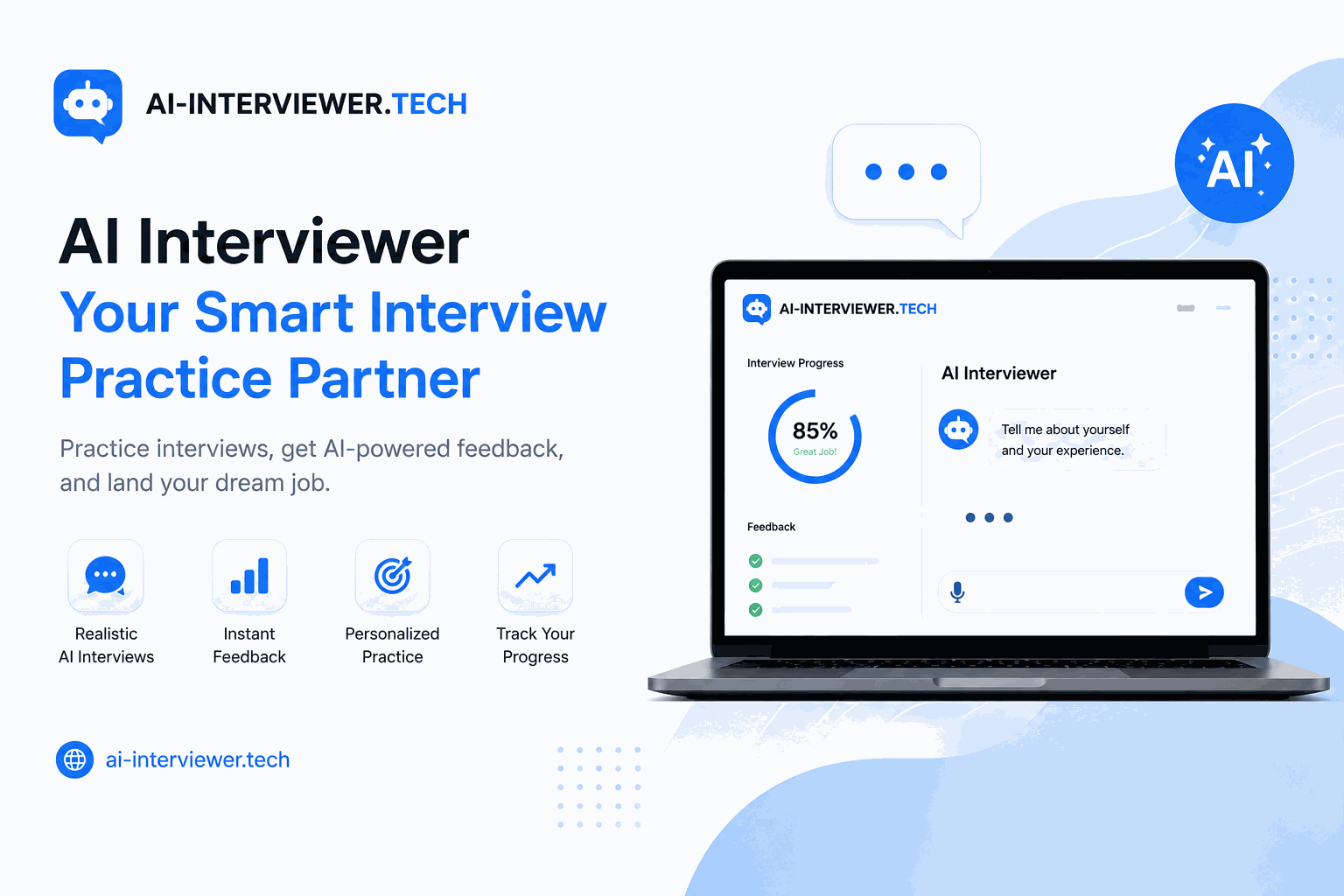
Ce que nous allons créer
Dans cette série, nous allons créer une application d’entretien par IA avec Django, d’un dossier vide jusqu’à un produit fonctionnel : vous importez un CV, une IA le lit et génère un entretien personnalisé, vous répondez aux questions, puis vous recevez des commentaires. J’ai créé la version réelle parce que j’en avais besoin : en tant que développeur vietnamien, l’anglais n’est pas ma langue maternelle, et répondre à l’oral sous pression était la difficulté qu’aucune lecture ne pouvait résoudre. Tous les outils d’entraînement que j’ai essayés cachaient la pratique derrière des inscriptions, des abonnements payants et des écrans de configuration. Je voulais importer mon CV et commencer à parler. C’est précisément pour combler ce manque que ce projet existe.
Nous allons le construire au grand jour, dans l’ordre exact où je l’ai développé. Cette première partie sert de feuille de route : nous découvrons le produit fini, choisissons la stack en justifiant chaque décision, planifions les fonctionnalités et préparons la structure du projet. Pas encore de code fonctionnel : uniquement les décisions qui permettront de mener la suite de la série efficacement.
Découvrez l’application finale
Avant d’écrire la moindre ligne de code, voici notre objectif : une courte démonstration de l’application finale, accessible en ligne :
Vous pouvez l’essayer dès maintenant : elle est gratuite et ne nécessite aucun compte : ai-interviewer.tech. Ces dix parties aboutissent toutes à ce résultat.
Pourquoi Python
Python est le langage de base pour une raison simple : les outils dont nous avons besoin y sont disponibles. Les bibliothèques d’analyse de CV, les SDK d’IA et presque tous les clients de modèles sont conçus en priorité pour Python. Développer avec Python signifie donc moins de passerelles et moins de code de liaison. Le langage permet également d’écrire rapidement, ce qui compte lorsqu’on développe seul et qu’on veut publier son produit. Plus précisément, ce projet utilise Python 3.11 : les améliorations de performances des versions récentes sont un gain gratuit, sans effort supplémentaire.
Pourquoi Django plutôt que FastAPI
C’est le choix que la plupart des tutoriels sur l’IA font souvent par défaut, en adoptant l’outil à la mode. La bonne question n’est pas « quel framework est le plus rapide ? », mais plutôt « dans quel domaine cette application doit-elle être performante ? ». Cette application n’est pas une simple couche API : c’est un produit complet, avec des données, une interface d’administration et un véritable parcours utilisateur. C’est précisément le terrain de Django :
- ORM intégré — nous modélisons directement les entretiens, les questions et les réponses, sans devoir connecter une couche de base de données distincte.
- Interface d’administration intégrée — un panneau prêt à l’emploi pour examiner les données réelles pendant le développement, ce qui est particulièrement précieux pour déboguer les résultats de l’IA.
- Tout-en-un — l’authentification, les migrations, les formulaires et le routage sont inclus. Nous pouvons donc concevoir rapidement une application complète au lieu d’assembler ses composants un par un.
FastAPI est excellent : pour des API asynchrones pures à forte concurrence, c’est souvent le meilleur choix. Mais ici, les appels à l’IA ne constituent pas un goulot d’étranglement lié à la concurrence, et le temps gagné grâce aux outils intégrés de Django compense largement l’avantage asynchrone de FastAPI. Choisissez l’outil en fonction de vos contraintes, et non l’inverse.
Pourquoi utiliser l’OpenAI Agents SDK
Pour la couche IA, nous utilisons l’OpenAI Agents SDK, mais pas pour une quelconque magie d’« agent autonome ». Sa valeur réside dans l’approche inverse : garder un contrôle explicite sur l’ensemble du flux. Nous décidons de chaque étape et l’orchestrons dans notre code, plutôt que de laisser au modèle une liberté totale en espérant qu’il se comporte correctement. Les systèmes prévisibles reposent sur la maîtrise d’un composant probabiliste, et non sur une confiance aveugle.
- Contrôle complet du flux — nous appelons le modèle étape par étape et conservons la logique dans notre propre code, qui reste facile à déboguer et fiable.
- Indépendance vis-à-vis du fournisseur — grâce à son interface de modèle chat-completions, le SDK peut communiquer avec n’importe quel endpoint compatible avec OpenAI, y compris un modèle auto-hébergé. Nous bénéficions de l’orchestration du SDK sans être liés à un seul fournisseur.
Cette combinaison, à savoir le contrôle et la liberté de remplacer le modèle sous-jacent, correspond exactement aux besoins d’un produit réel, dans lequel le coût, la confidentialité ou la disponibilité peuvent vous pousser à changer de modèle plus tard.
Planifier les fonctionnalités
La stack étant définie, voici la liste complète des fonctionnalités de la série, afin que chaque partie suivante ait une place clairement définie :
- Importation du CV et extraction du texte — récupérer de manière fiable un texte propre à partir de CV au format PDF et DOCX.
- Validation du CV et détection du poste — vérifier que le fichier importé est bien un CV, puis déduire le métier et le niveau d’expérience.
- Questions générées par l’IA — un entretien personnalisé fondé sur le parcours réel du candidat, et non sur une banque de questions génériques.
- Réponses vocales et transcription — répondre à l’oral, comme lors d’un véritable entretien.
- Évaluation et commentaires — un rapport dont le candidat peut réellement tirer des enseignements.
- Expérience sans connexion et démarrage rapide — le principe au cœur du projet depuis le début : importer, puis commencer.
Préparer la structure du projet
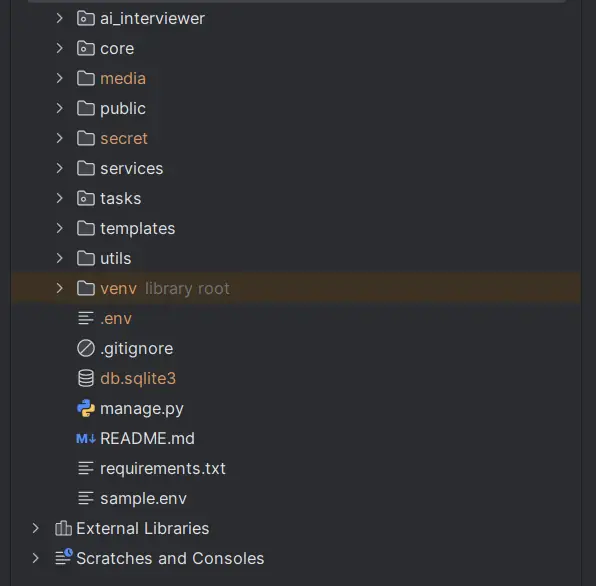
Nous commençons maintenant pour de bon. La structure donnée à un projet dès le premier jour détermine les difficultés que vous rencontrerez le trentième jour. Or une application d’IA ajoute des composants supplémentaires — analyse de fichiers, agents, tâches asynchrones — : un peu de discipline dès maintenant sera donc très utile par la suite :
- Environnement — créez un environnement virtuel avec Python 3.11, installez Django et verrouillez vos versions dans
requirements.txtafin de garantir une construction reproductible. - Structure — séparez le projet et l’application, en prévoyant des emplacements clairs pour les modules d’analyse et d’IA qui seront ajoutés plus tard, plutôt que de tout entasser dans un seul fichier.
- Secrets — stockez les clés API et les paramètres sensibles dans des variables d’environnement au moyen d’un fichier
.envdès le premier jour, et ne les versionnez jamais.
django-admin startproject ai_interviewer
cd ai_interviewer
python3 -m venv venv
source venv/bin/activate
pip install -r requirements.txt
Vous pouvez récupérer ici le fichier requirements.txt exact utilisé pour ce projet : requirements.txt.
Voilà les fondations. Nous avons choisi chaque outil avec soin, défini ce que nous allons construire et préparé un projet qui n’aura pas besoin d’être réécrit lorsque les fonctionnalités réelles arriveront. Si vous préférez éviter l’intégralité du développement et partir directement du code final prêt pour la production, le code complet est disponible sous la forme d’un kit de démarrage. Sinon, passez à la partie 2, consacrée à la conception des modèles de base de données qui donneront une structure concrète à ce plan.
FAQ
Questions fréquentes
Pourquoi choisir Django plutôt que FastAPI pour une application d’IA ?
Django intègre un ORM, une interface d’administration et l’authentification, ce qui accélère la création d’une application complète avec des données, et pas seulement d’une API. FastAPI excelle pour les services API purement asynchrones, mais ce projet nécessite un ensemble d’outils complet : Django fait donc gagner plus de temps que FastAPI n’en ferait gagner grâce à son approche asynchrone.
L’utilisation de l’OpenAI Agents SDK m’engage-t-elle à utiliser OpenAI ?
Non. Grâce à son interface de modèle chat-completions, le SDK peut communiquer avec des backends autres qu’OpenAI qui exposent un endpoint compatible avec OpenAI, y compris des modèles auto-hébergés. Vous bénéficiez de l’orchestration du SDK tout en conservant la liberté de remplacer le modèle sous-jacent.
Ai-je besoin d’une expérience en IA pour suivre cette série ?
Non. Vous avez besoin de bases en Python et d’une volonté d’apprendre Django. Les parties spécifiques à l’IA commencent vers la partie 6. Tout ce qui précède repose sur du Python et du Django classiques.
Puis-je utiliser ce projet dans mon portfolio ?
Oui. À la fin des parties gratuites, vous disposerez d’une application d’IA fonctionnelle et présentable, capable d’analyser un vrai CV et de mener un entretien personnalisé. C’est un projet de portfolio original et solide, particulièrement pour les étudiants et les développeurs débutants.