Semantic HTML Guide: Improving SEO and Accessibility with Structured Markup
A comprehensive guide to semantic HTML, explaining its vital role in improving SEO performance and web accessibility through structured, meaningful markup.

Long Nguyen
Fullstack Developer · AI Engineer · Researcher
Introduction
In modern web development, creating a visually appealing website is only half the battle. Beneath the surface of cascading style sheets and interactive scripts lies the foundational structure of your page. Understanding semantic HTML is essential for any developer looking to build robust, future-proof websites. Using tags that convey true meaning rather than just visual presentation is no longer optional; it dictates how search engines rank your content and how assistive tools read your site. This comprehensive guide will explore why structured markup is the absolute bedrock of modern front-end development.
What is Semantic HTML?
At its core, meaningful HTML refers to the use of HTML elements that clearly describe their meaning in a human- and machine-readable way. While non-semantic tags like <div> and <span> tell us nothing about the content enclosed within them, semantic tags such as <article> or <footer> clearly define the role of the content. Learning this structured markup is one of the most vital HTML5 basics for any beginner stepping into web development. By relying on meaningful markup instead of generic containers, developers create a self-documenting structure that enhances both readability and long-term maintainability.
"meaningful HTML shifts the focus from how content looks to what content actually means, providing a universal language for browsers, crawlers, and developers."
Why Semantic HTML Matters for SEO and Accessibility
You might wonder exactly why meaningful HTML matters for SEO and accessibility, especially as search engine algorithms become increasingly sophisticated with AI and natural language processing. The answer lies in standardized communication. Adhering to strict web standards ensures that automated systems can reliably parse, prioritize, and present your content. Building accessible HTML creates an inclusive digital environment, bridging the gap between theoretical web accessibility (a11y) guidelines and practical, everyday implementation. Similarly, writing good SEO HTML is about serving content in a formalized structure that algorithms can easily digest and index.
Improving SEO with Semantic Markup
Improving SEO with semantic markup is fundamentally about providing deep context. Search engine crawlers do not "see" a website the way human users do; they read the underlying code. When you use meaningful HTML to wrap your content, you are directly communicating to these crawlers exactly what constitutes a primary headline, a navigation menu, or the main article text. This precise communication allows search engine crawlers to better understand the page's topical relevance, leading to more accurate indexing, richer search snippets, and potentially higher rankings in search engine results pages.
How Semantic HTML Helps Screen Readers
Accessibility is just as critical as visibility in modern web standards. Understanding how meaningful HTML helps screen readers illuminates the true importance of inclusive design. Assistive technology relies heavily on the underlying code structure to navigate a page linearly. By utilizing descriptive HTML elements, you provide necessary programmatic landmarks. A screen reader can jump straight to a navigation block or the core article if the right tags are used, bypassing repetitive menus and significantly enhancing the user experience for visually impaired visitors.
Essential Semantic HTML Tags and Best Practices
To implement these concepts effectively, developers must become highly familiar with core descriptive HTML elements. A solid front-end development guide will always prioritize these structural components before diving into visual styling like CSS3 fundamentals or the CSS box model. Adopting best practices for meaningful HTML tags ensures that your code is both scalable and completely compliant with modern web expectations.
The Main, Header, and Footer Tags
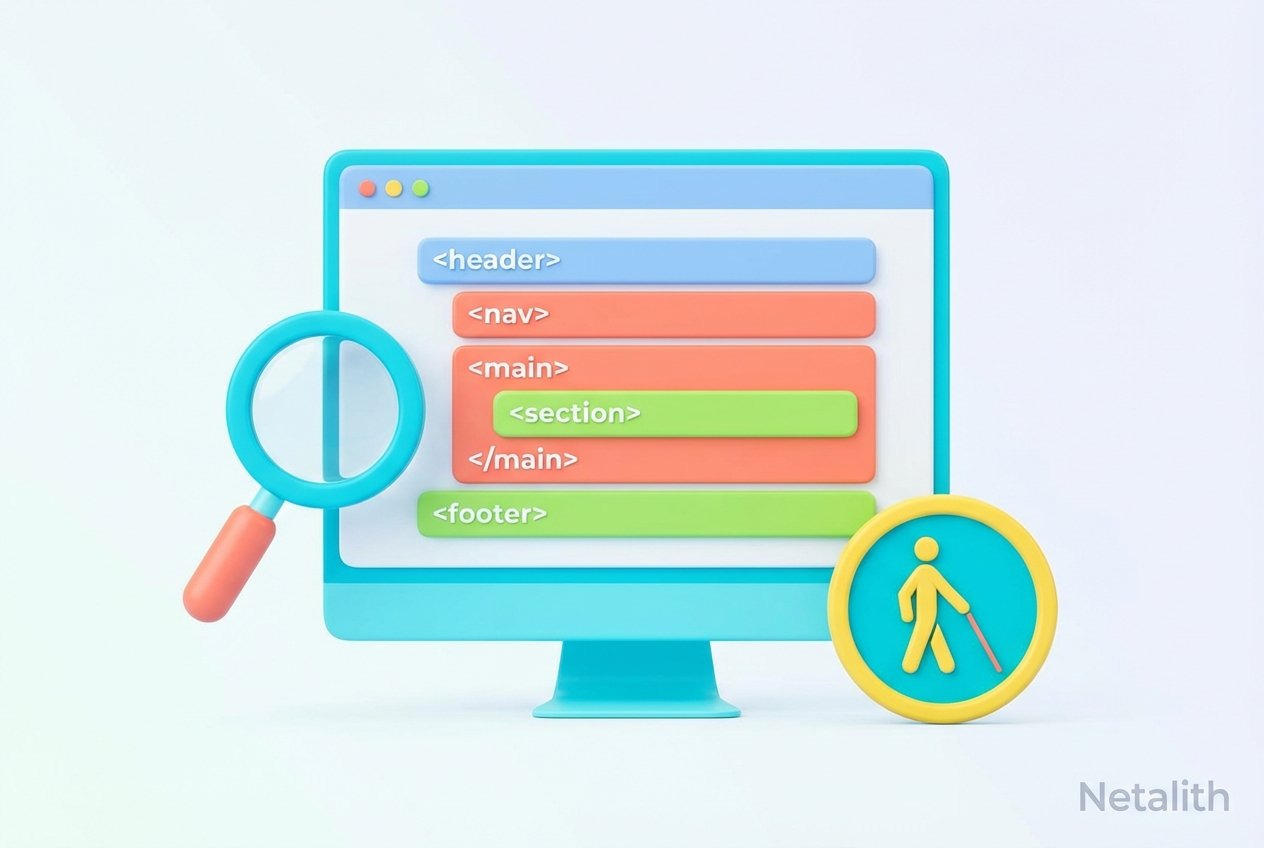
Every well-structured page relies on a clear beginning, middle, and end. The header and footer tags define the introductory and concluding sections of a document or a distinct section, typically housing logos, global navigation, or copyright information. In between these endpoints, the main tag is utilized to encapsulate the dominant, unique content of the document's <body>. Applying this meaningful markup ensures that browsers and screen readers can instantly identify the primary focus of the page, eliminating confusion about what content is most important.
Navigational Structure: The Nav Element
Navigation acts as the essential roadmap of your website. The nav element is specifically designed to contain major blocks of navigation links. Whether it is a site-wide menu, breadcrumbs, or a local table of contents, wrapping these links in a <nav> tag is a hallmark of excellent structured markup. Following these web standards allows browsers and assistive tools to treat these links differently than standard inline body links, enabling quick navigational jumps and improved accessibility.
Content Structure: Article vs. Section Element
Two of the most commonly confused tags in HTML5 are the article tag and the section element. Understanding their distinct purposes is key to proper document outlining:
- Article Tag: The
<article>tag should be used for standalone, self-contained content that could theoretically be distributed independently. Think of a blog post, a news story, or a forum post. - Section Element: The
<section>element is used to group thematically related content within a larger document, typically introduced by a heading.
Using both appropriately is a cornerstone of writing meaningful HTML that accurately reflects the document's internal hierarchy.
Conclusion: Adopting Web Standards and Meaningful HTML
Mastering meaningful HTML is far more than just an academic exercise; it is a practical necessity for the modern web professional. From mastering HTML5 basics to laying the robust structural groundwork required for responsive web design, the way you structure your documents impacts everything from styling flexibility to SEO performance and user accessibility. By committing to strict web standards and avoiding generic container overuse, you ensure your websites are built on a solid, inclusive, and highly discoverable foundation. As you continue to write meaningful, meaningful HTML, you are actively contributing to a better, more accessible internet for everyone.
Frequently Asked Questions
What is semantic HTML and why is it used?
Semantic HTML is the practice of using HTML tags that clearly describe their meaning and the type of content they contain (like <article> or <nav>). It is used to make web pages easily readable by both human developers and machines, such as browsers, screen readers, and search engine crawlers.
How does semantic HTML improve SEO?
Semantic HTML improves SEO by giving search engines explicit context about the content. When search engine crawlers understand what part of your page is the main content versus what is just a footer or sidebar, they can index the page more accurately and rank it correctly for relevant queries.
Why is semantic HTML important for screen readers?
Screen readers use semantic HTML to understand the layout and hierarchy of a webpage. Proper semantic tags act as signposts, allowing visually impaired users to skip repetitive content and navigate directly to the information they need.