How to find the length of a list in Python
A concise guide to python list length: use len(), alternatives, nested lists, edge cases, performance (O(1) vs O(n)), best practices, and FAQs.
Drake Nguyen
Founder · System Architect
Introduction
Knowing the python list length is one of the most common tasks when working with Python collections. Whether you need to validate input, loop reliably, or avoid IndexError exceptions, getting the count of items in a list is essential. This guide explains the recommended approach, compares alternatives, covers nested lists and edge cases, and highlights performance and best practices.
Key takeaways
- Use the built-in
len()function to find the length of a list in Python because it is concise and fast. len()on lists is an O(1) operation; alternatives that iterate are O(n).- To check emptiness, prefer implicit boolean checks (
if not my_list:) over comparinglen()to zero. len()counts only top-level items in nested lists; use recursion to count all elements deeply.- Avoid trying to call
len()on objects that don’t implement__len__to preventTypeError.
Using len() — the recommended way
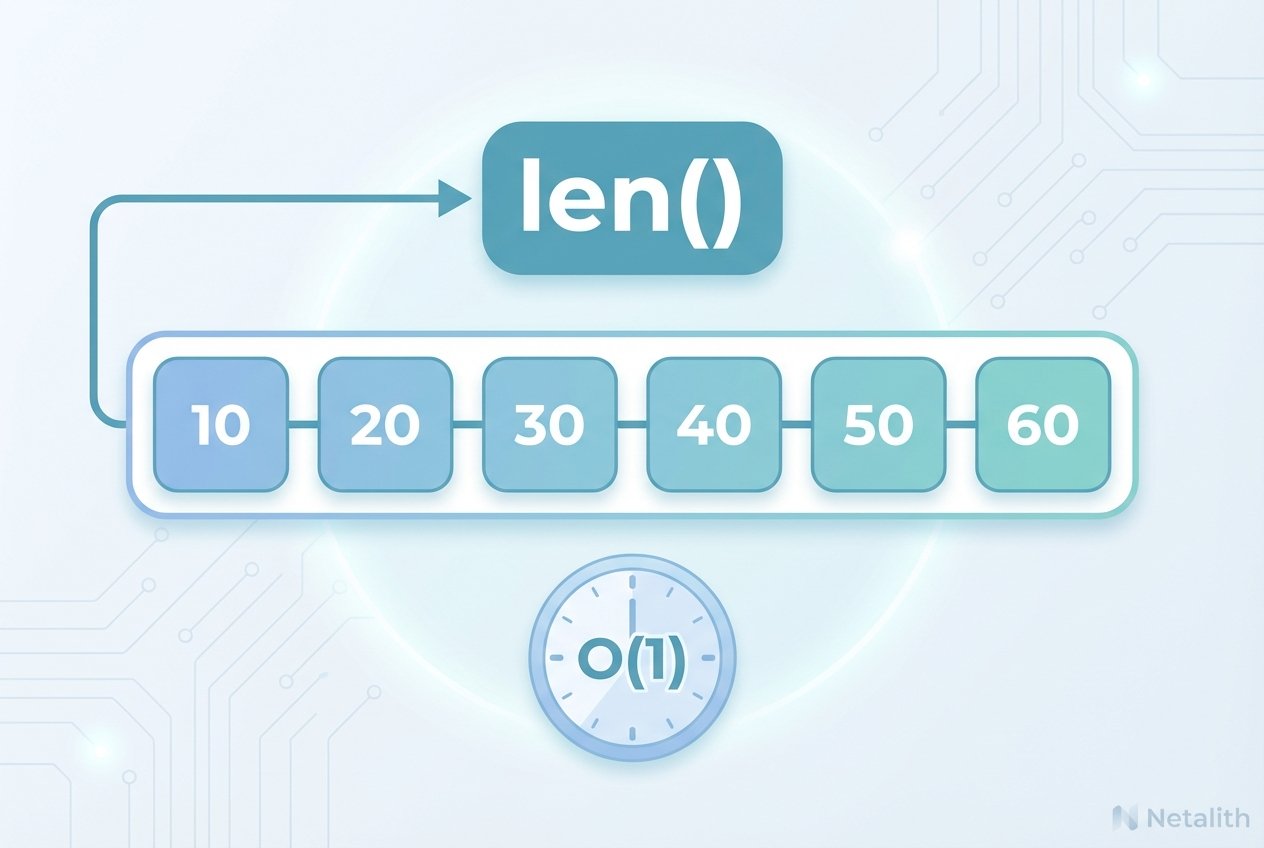
The simplest and most efficient way to find length of list in Python is len(my_list). Python lists maintain their size internally, so len() returns that stored value instead of iterating through elements. This is why len() python calls are constant time (len() function time complexity o(1) python).
# Example
languages = ['Python', 'Java', 'C++', 'JavaScript']
print(len(languages))  # 4
Because len() delegates to the object's __len__ method, it works for strings, tuples, ranges, dicts, and any custom object that defines __len__. For example, implement __len__ in a class to make len() work on it.
Alternative methods (educational, not recommended)
You may encounter other ways to count items. They all work but are less efficient than len().
Manual for loop
count = 0
for _ in my_list:
    count += 1
This visits every item and is O(n). Useful for learning but unnecessary in production when len() is available.
sum with a generator
length = sum(1 for _ in my_list)
More concise than building a list of ones, but still O(n). A memory-friendly variant compared to [1 for _ in my_list] is shown above.
enumerate to capture the last index
if my_list:
    for i, _ in enumerate(my_list):
        pass
    length = i + 1
else:
    length = 0
Also O(n) and verbose; only convenient if you already need indices during iteration.
reduce or other functional approaches
from functools import reduce
length = reduce(lambda acc, _: acc + 1, my_list, 0)
Functional tools can show alternative paradigms but are slower for simple counting.
Nested lists and total element count
Calling len() on a nested list returns the number of top-level elements, not the total of all inner items. To count every atomic element in a list of lists you need recursion or an explicit traversal.
Recursive example to count all elements
def count_total_elements(data):
    total = 0
    for item in data:
        if isinstance(item, list):
            total += count_total_elements(item)
        else:
            total += 1
    return total

nested = [1, [2, 3], [4, [5, 6]], 7]
print(count_total_elements(nested))  # 7
Edge cases to be aware of
- Empty list:
len([])returns0. Preferif not my_list:for checking emptiness. - Special values: items like
None,True, andFalseare counted as elements. - Duplicates: lists preserve duplicates;
len()counts every occurrence. Uselen(set(my_list))to count unique items. - Self-referential lists:
len()counts the reference as one slot and will not recurse into the circular reference. - Iterators and generators: these often have no length (
TypeError: object of type 'generator' has no len()). Convert to a list if you need a count, but be mindful of memory.
Performance considerations
Understanding big-O helps choose the right approach. For python list size queries, len() is constant time. Any method that walks the sequence is linear time and will slow down on large datasets. For example, benchmarking shows len() is effectively instantaneous even for very large lists, while manual loops take time proportional to the list length (time complexity of len() in python).
Practical rule: always call len() to get the python list length. Use iteration-based alternatives only when you must transform or inspect items while counting.
Comparing with other built-in functions
It’s common to confuse len() with list.count(). They serve different purposes: len(my_list) returns the total number of items, while my_list.count(x) returns how many times x appears.
my_list = ['a','b','a','c','a']
print(len(my_list))        # 5
print(my_list.count('a'))  # 3
Common errors and how to avoid them
TypeError: object has no len()
This happens when you call len() on types without a length (e.g., int, float, None, certain generators). Check types or use try/except if input can vary.
def safe_len(x):
    try:
        return len(x)
    except TypeError:
        return 0  # or handle appropriately
IndexError from confusing length and last index
Remember that valid indices run from 0 to len(my_list) - 1. Accessing my_list[len(my_list)] raises IndexError.
Best practices
- Prefer
len()when you only need the number of items. - For emptiness checks use the Pythonic pattern:
if not my_list:. - Iterate directly over lists:
for item in my_list:. Useenumerate()if you need indexes. - Avoid converting large iterators to lists unless necessary; converting consumes memory.
- Implement
__len__on custom classes to integrate withlen().
Frequently asked questions
How to find the length of a list in Python?
Use len(my_list). It’s the most direct and efficient approach to get python list length.
Can len() be used on nested lists?
Yes, but it returns only the count of top-level items. To count every element inside nested lists, write a recursive counter or flatten the structure before counting.
Is len() faster than list.count()?
They Netalith different things. len() is O(1) for lists. list.count() is O(n) because it searches the entire list to count occurrences of a specific value.
Conclusion
For finding the python list length, len() is the correct, idiomatic, and fastest choice. Alternatives exist and can be useful for teaching or when additional processing is required during iteration, but they all cost linear time. Follow the best practices above to write clear and efficient Python code.