Odoo Upgrade Service: What's Free, What Isn't, and What It Costs
What an Odoo upgrade service really covers: the free database conversion, the custom-module work you pay for, and how to scope a quote in 2026.

Long Nguyen
Lập trình viên Fullstack · Kỹ sư AI · Nhà nghiên cứu
Search "Odoo upgrade service" and you get two completely different things sold under the same name: Odoo SA's automated database upgrade platform, and an engineering service that makes your installation actually work after that platform has run. Confusing the two is how upgrade projects blow their budget.
This article draws the line between them, section by section, so you know exactly what you are buying, what is free, and which part of the work is the one that costs money.
What an Odoo upgrade service actually covers
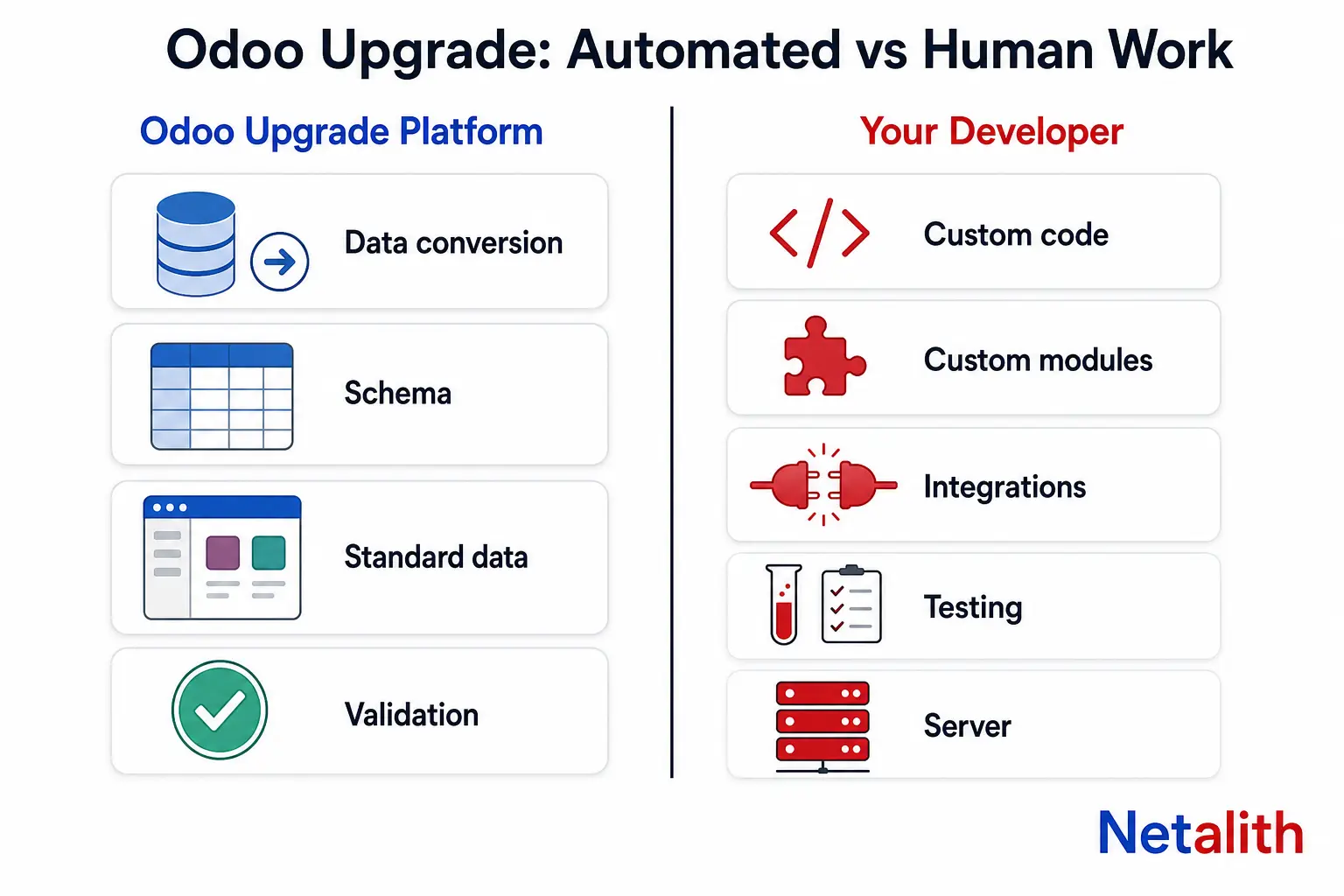
Odoo's own upgrade platform converts your database: it runs your dump through upgrade scripts that rename fields, move data between restructured models, and bring standard app data onto the target version's schema. It does not touch your code.
Everything in the right-hand column below is human work, whoever does it — your developer, a partner, or you.
| Work item | Odoo's upgrade platform | Human work |
|---|---|---|
| Core schema and standard app data | Automated | Spot-check the results |
| Standard views, reports, settings | Mostly automated | Re-apply what was customised |
| Custom module source code (Python, XML, OWL) | Not covered | Port to the new API |
| Data held in custom fields and custom models | Only if your module ships its own migration scripts | Write those scripts |
| Third-party and OCA apps not yet ported | Not covered | Upgrade, replace, or drop |
| Integrations (payment, shipping, marketplaces, in-house APIs) | Not covered | Re-test, re-authenticate, fix breaking changes |
| Functional testing and user acceptance | Not covered | Your team, on a test database |
| Server, Python version, PostgreSQL, OS packages | Not covered on-premise | Sysadmin work before the upgrade |
| Cutover plan, downtime window, rollback | Not covered | Planning and rehearsal |
The practical consequence: a database with zero custom modules on Odoo Online is close to a button press. A self-hosted database with fifteen custom modules and three live integrations is a software project that happens to include a database conversion.
Odoo states the constraint plainly in its official upgrade documentation: a database containing custom modules cannot complete its upgrade until a version of those modules that runs on the target release exists.
Is the Odoo upgrade free? It depends where your database lives
"Free upgrade" is true for the database conversion and misleading for the project. Here is how it breaks down by hosting.
| Hosting | Database conversion | What you still pay for |
|---|---|---|
| Odoo Online | Included; Odoo also ships intermediary online versions every two months | Re-doing Studio work, retraining, re-testing integrations |
| Odoo.sh | Included with the subscription, wired into the branch workflow | Porting custom modules, test cycles |
| On-premise Enterprise | Included with a valid subscription, plus a support channel when a script fails | Everything around the database — code, infra, testing |
| On-premise Community | Requests go through the same platform | All of the above, with no Enterprise support behind you when it breaks |
One line worth internalising: the Enterprise licence has never covered the upgrade of your own custom modules. That is deliberate, not a loophole. Odoo cannot know what your module intended.
So the honest answer to "how much does an Odoo upgrade service cost" is: the conversion costs nothing, and the price you are quoted is almost entirely the cost of your own customisations.
Odoo 20 has shipped, which makes Odoo 17 the version with a deadline
Odoo supports the three most recent major versions, and releases one major version a year. Odoo 20 was launched at Odoo Experience in Brussels on , with general availability following in October — which pushes Odoo 17 off the supported list.
| Version | Released | Status as of October 2026 |
|---|---|---|
| Odoo 20 | September 2026 | Newest major release |
| Odoo 19 | September 2025 | Supported |
| Odoo 18 | October 2024 | Supported; end of support planned October 2027 |
| Odoo 17 | November 2023 | End of support planned October 2026 |
| Odoo 16 and older | 2022 and earlier | Unsupported — but still upgradeable |
Check the current state against Odoo's own supported versions matrix before you plan dates; it is the only source that moves when Odoo moves.
Two opinions, held firmly:
- Do not land on Odoo 20 right now unless you have a reason. A brand-new major is where third-party and OCA modules have not been ported yet, and where you discover bugs on your own production data. Upgrading from 17 to 19 today buys you support into late 2028 and lands you on a release the ecosystem has already shaken out. Target 20 next year, from 19, when it is a one-version hop.
- Waiting does not make it cheaper. The platform will happily chain conversions from any old version, so the database side does not get harder. Your code does: each skipped release adds another set of API changes your modules have to absorb at once, and the developer who wrote them is further away.
Upgrade, migration, replatforming: three different invoices
Providers use these words interchangeably. You should not, because they price differently and the quote you get back depends on which one you asked for.
- Upgrade — same Odoo database, newer version. Odoo 17 to 19. The upgrade platform does the conversion; you port the code.
- Migration — data coming into Odoo from somewhere else, or an Odoo database moving between hosting models. There is no automated script for this; it is mapping, import, and reconciliation.
- Edition or platform change — Community to Enterprise, on-premise to Odoo.sh. This can ride along with an upgrade, but it is separate work with its own failure modes.
If you ask for "an Odoo migration service" when you mean a version upgrade, expect quotes built for the wrong scope. Say the version numbers out loud: "Odoo 17.0 Community, self-hosted, to 19.0."
Custom modules are where the money goes
The single best predictor of what an Odoo upgrade will cost is not your data volume or your user count. It is the number of custom and third-party modules installed, multiplied by the number of versions you are jumping.
The recurring sources of breakage between majors:
- Renamed or removed fields and models — your module references something that no longer exists, and the import fails at install time.
- View inheritance that no longer matches — an
xpathwritten against a standard view breaks the moment Odoo redesigns that template, which happens most years. - Attribute syntax changes — the removal of
attrsandstatesin favour of direct conditional attributes rewrote a large share of every XML view in the wild. - Frontend API churn — OWL component signatures, hooks and asset bundles have changed meaningfully across recent releases; any custom widget is a rewrite candidate.
- Runtime requirements — newer majors want newer Python and PostgreSQL. On-premise, that is a server task you must finish before the database work starts.
The cheapest upgrade is the one where you delete things. Before anyone quotes you, go through the installed modules list and mark each as keep, replace with standard Odoo, or drop. In most long-lived databases a third of the custom code is paying rent for a feature nobody has used in two years, and every one of those modules you remove is work that disappears from the quote.
Data stored on custom models needs its own migration scripts, written by whoever owns the module — Odoo's platform will not infer your intent. This is the part that benefits most from hands-on Odoo development work rather than a generic "upgrade package": porting a module properly means deciding what its data should look like on the new version, not just making it install.
The process, step by step
- Inventory. Current version and edition, hosting, installed custom and third-party modules, Studio customisations, live integrations, database size.
- Prune. Uninstall what you decided to drop, on production, before you take the dump. Dead modules convert just as slowly as live ones.
- Port the code first. Get custom modules installing cleanly on a blank target-version database. Until that works, test upgrades have nothing to land in.
- Request a test database. Submit the dump to the upgrade platform and get back a converted copy on the target version.
- Test, fix, repeat. This is the loop that consumes the calendar. The automated conversion runs in hours; the test cycles run for weeks, because real users have to open their real screens.
- Rehearse the cutover. Time a full dry run end to end so you know your actual downtime window instead of guessing it.
- Go live, then watch. Freeze changes, run the production conversion, keep the old instance intact and bootable for at least a couple of weeks.
Two rules that save projects: never request a production upgrade you have not already rehearsed on the same dump, and never let the test window overlap a month-end close.
How to get a quote that survives contact with your database
Upgrade work is priced to scope, and vague scope is why quotes vary by an order of magnitude for the same job. Send these five things and the numbers you get back will be comparable:
- Source and target version, edition, and hosting (for example: 17.0 Community, self-hosted on a VPS, to 19.0).
- The installed modules list, split into standard, third-party or OCA, and custom.
- Repository access or source for the custom modules — or a clear statement that nobody has it.
- Database size and row counts for your heaviest models.
- A list of live integrations and who owns each one.
Be wary of any fixed price quoted before someone has read your module list. It is either padded or it will come back as a change order. A provider who asks for the list first is doing the job properly.
If you want a second opinion on scope — or the porting work done — tell us your source and target version and we will quote the actual work. No account, no cost to ask.
CÂU HỎI THƯỜNG GẶP
Câu hỏi thường gặp
Is the Odoo upgrade service free?
The database conversion through Odoo's upgrade platform is included for Odoo Online, Odoo.sh and on-premise Enterprise subscriptions, and Community databases can be submitted to the same platform. What is never included is the work on your own code: porting custom modules, fixing integrations, and testing. That is the part a paid Odoo upgrade service is actually selling.
How long does an Odoo upgrade take?
The automated conversion itself runs in hours. The project runs in weeks, because the time goes into the test-fix-retest loop with real users on a converted copy of your real data. A clean database with no customisations can be done in days; a database with a dozen custom modules and several integrations is typically a four-to-eight week calendar project, most of it testing rather than coding.
Can I upgrade directly from an old version like Odoo 13 to the latest?
Yes. Odoo's platform accepts databases from unsupported versions and chains the conversions, so the database side does not get harder the longer you wait. Your custom modules do: every release you skip stacks another set of API changes that have to be absorbed in one pass.
Will my custom modules work after the upgrade?
Not without work. Odoo's upgrade scripts convert standard data and leave your code untouched, and a database with custom modules cannot finish upgrading until a version of those modules that runs on the target release exists. Expect renamed fields, broken view xpaths, removed attribute syntax and frontend API changes to need hands-on fixes.
Should I upgrade to Odoo 20 now or go to Odoo 19?
For most businesses, Odoo 19 is the better landing spot right now. It is supported, the third-party and OCA ecosystem has already been ported to it, and the sharp edges of the release have been found by other people. Odoo 20 launched in late September 2026; let it settle, then move 19 to 20 next year as a one-version hop.
Do I need an Enterprise subscription to upgrade?
No. Community databases can be upgraded, and you can always upgrade from any version. What the Enterprise subscription buys is the support channel behind the platform when an upgrade script fails on your data, which matters most on large or heavily customised databases.