Trích xuất văn bản CV PDF bằng Python với pdfplumber
Học cách trích xuất văn bản sạch từ CV PDF bằng Python và pdfplumber, đồng thời phát hiện PDF dạng ảnh quét trước khi làm hỏng ứng dụng phỏng vấn AI.

Long Nguyen
Lập trình viên Fullstack · Kỹ sư AI · Nhà nghiên cứu
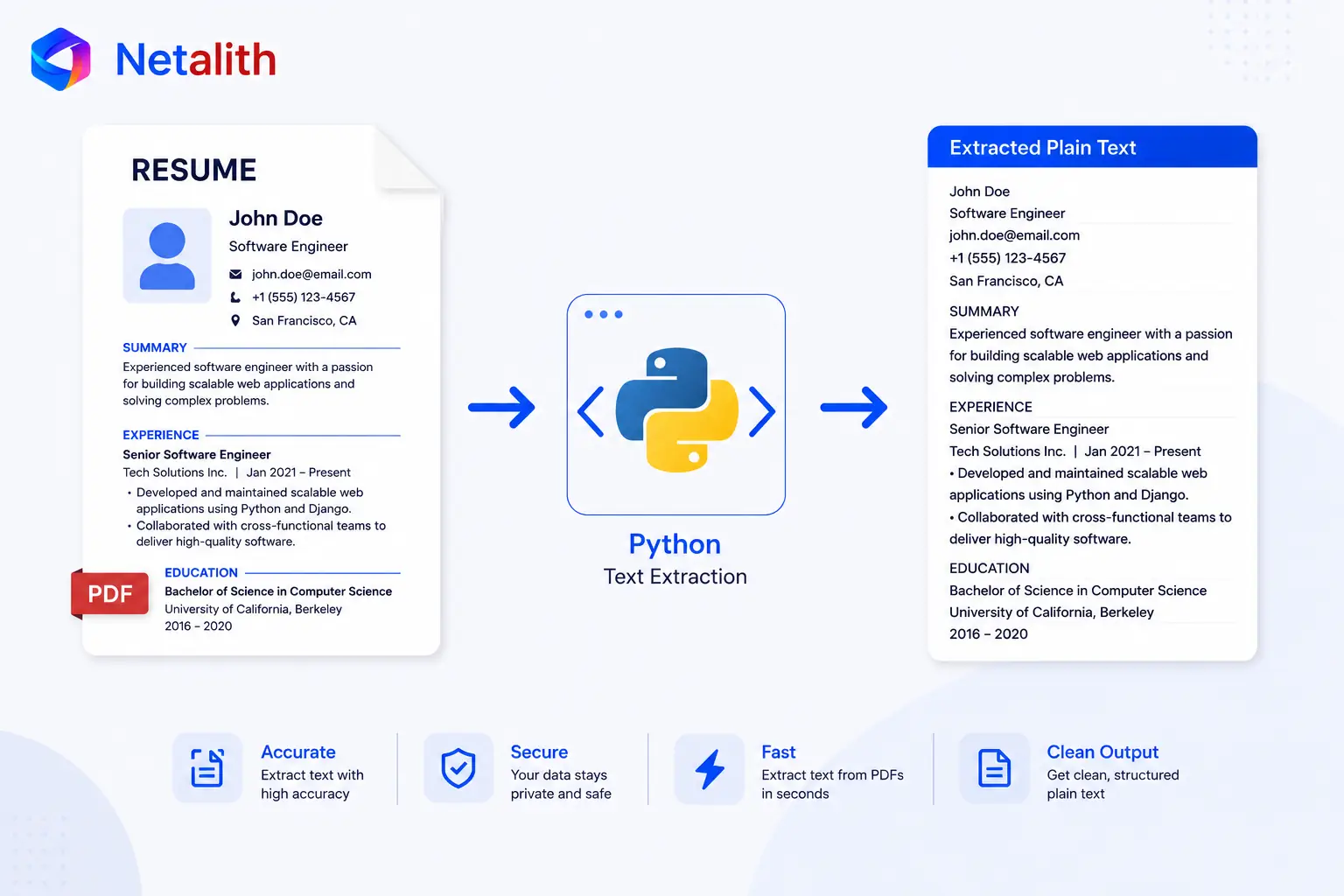
Vì sao trích xuất văn bản PDF khó hơn bạn nghĩ
Để xây dựng phần phỏng vấn, AI trước hết cần CV của ứng viên ở dạng văn bản sạch — vì vậy phần này tập trung vào cách trích xuất văn bản từ CV PDF bằng Python. Ở phần 2, chúng ta đã tạo nơi để ứng dụng lưu một buổi phỏng vấn và CV của ứng viên. Giờ là lúc điền dữ liệu vào trường cv_text.
Vấn đề nằm ở chỗ PDF không phải là tệp văn bản. Đây là một định dạng bố cục, mô tả vị trí của từng ký tự trên trang thay vì cung cấp một chuỗi câu liền mạch. Vì vậy, văn bản trích xuất đôi khi có khoảng cách bất thường hoặc ngắt dòng sai, còn CV nhiều cột có thể bị đọc không đúng thứ tự. Tuy nhiên, với phần lớn CV dạng văn bản thông thường, một thư viện tốt vẫn xử lý đủ hiệu quả để đưa thẳng dữ liệu vào AI.
Trích xuất văn bản bằng pdfplumber
Trong số các thư viện PDF dành cho Python, pdfplumber tạo ra sự cân bằng tốt nhất khi xử lý CV: giữ bố cục và khoảng cách tốt hơn nhiều so với các trình trích xuất tối giản, nhưng không đòi hỏi quy trình thiết lập phức tạp như một hệ thống OCR hoàn chỉnh. Trước tiên, hãy cài đặt thư viện:
pip install pdfplumberPhần trích xuất thực tế khá ngắn gọn. Mở tệp, duyệt qua từng trang rồi nối văn bản thành một chuỗi duy nhất:
import pdfplumber


def extract_text_from_pdf(file_path):
    with pdfplumber.open(file_path) as pdf:
        return "\n".join(page.extract_text() or "" for page in pdf.pages)
Chi tiết or "" là phần quan trọng nhất ở đây. extract_text() trả về None nếu không thể lấy văn bản từ một trang, và việc nối các giá trị None sẽ gây ra lỗi. Gán mặc định thành chuỗi rỗng giúp hàm hoạt động an toàn với các tệp thực tế có cấu trúc không đồng nhất — một lớp bảo vệ nhỏ nhưng giúp tránh ứng dụng bị dừng chỉ vì một trang bất thường trong CV vốn hoàn toàn hợp lệ.
Đó là quy trình cơ bản cho trường hợp thuận lợi: với một PDF dạng văn bản thông thường, bạn có thể thu được văn bản sạch, sẵn sàng cho AI chỉ bằng vài dòng mã. Chưa cần trừu tượng hóa quá sớm hay xây dựng một quy trình làm sạch phức tạp mà bạn chưa cần đến — hãy bắt đầu bằng giải pháp trực tiếp cho vấn đề hiện tại. Nhiệm vụ ở đây là lấy văn bản thô; còn việc xác minh văn bản đó thực sự là một CV sẽ được xử lý riêng ở lớp AI trong phần sau. Nếu muốn bỏ qua toàn bộ quá trình xây dựng và bắt đầu ngay với mã nguồn hoàn chỉnh, sẵn sàng cho môi trường production, bạn có thể xem starter kit — nếu không, hãy chuyển sang phần 4, nơi chúng ta xử lý CV DOCX, định dạng thường cất phần lớn nội dung bên trong các bảng.
CÂU HỎI THƯỜNG GẶP
Câu hỏi thường gặp
Vì sao nên dùng pdfplumber thay vì PyPDF2 hoặc pypdf?
pdfplumber giữ bố cục và khoảng cách tốt hơn, điều rất quan trọng với CV vì cấu trúc thường mang nhiều ý nghĩa. Các thư viện đơn giản hơn thường trả về văn bản bị xáo trộn, khiến việc đưa dữ liệu vào AI một cách rõ ràng trở nên khó khăn hơn.
Làm thế nào để phát hiện một PDF dạng scan?
Hãy thử trích xuất văn bản và đo lượng nội dung nhận được. Một PDF thực sự chứa văn bản thường trả về nhiều ký tự, trong khi tệp scan chỉ có hình ảnh sẽ trả về rất ít hoặc không có ký tự nào. Kiểm tra ngưỡng số ký tự theo từng trang là một cách đơn giản nhưng hiệu quả.
Ứng dụng có nên tự động OCR CV dạng scan không?
Bạn có thể làm vậy, nhưng OCR đi kèm nhiều phức tạp và rủi ro lỗi thực tế. Với phiên bản đầu tiên, việc phát hiện tệp scan rồi yêu cầu người dùng cung cấp CV dạng văn bản sẽ gọn gàng hơn. Bản production xử lý vấn đề này toàn diện hơn.