Wix Abandoned Cart Emails: The Ultimate Recovery Tutorial
A comprehensive tutorial on setting up Wix abandoned cart emails to recover lost sales and optimize your e-commerce store for better conversion rates.

Long Nguyen
Fullstack Developer · AI Engineer · Researcher
Introduction to Wix Abandoned Cart Emails
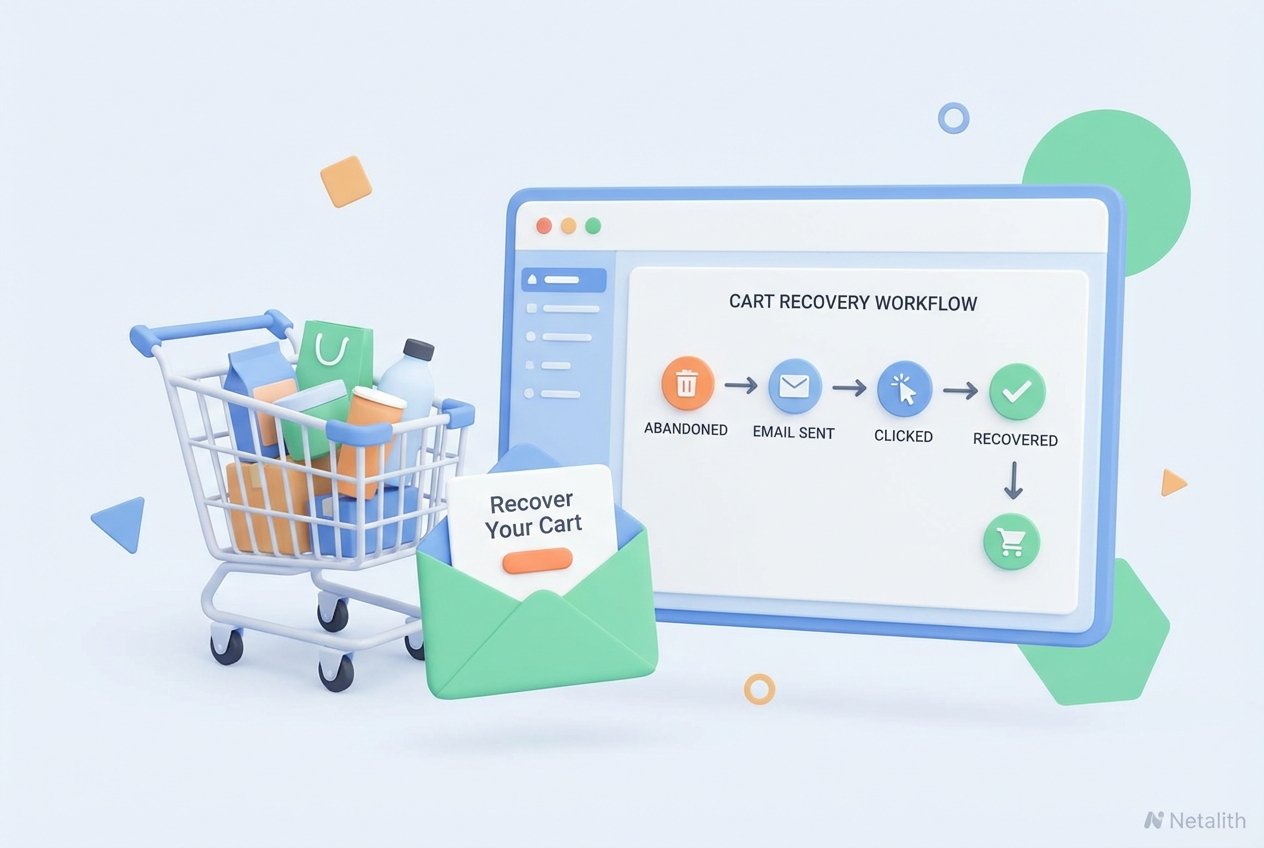
As an online store owner, there is nothing more frustrating than watching a potential buyer fill up their shopping cart, navigate to the checkout page, and then leave without completing the purchase. Cart abandonment is an inevitable challenge in e-commerce, but it does not have to mean a permanently lost sale. Implementing targeted Wix abandoned cart emails is one of the most effective methods to draw hesitant shoppers back to your store and reclaim revenue.
In this comprehensive cart recovery tutorial, we will walk you through exactly how to capture those missed opportunities. Harnessing the power of Wix email marketing allows you to automate a vital touchpoint with your audience. By utilizing built-in e-commerce marketing tools, you can gently remind customers of what they left behind, overcome their purchasing hesitations, and significantly boost your overall conversion rate.
Why You Need an Automated Cart Recovery Setup
Industry studies consistently show that the average shopping cart abandonment rate hovers around 70%. If you aren't actively trying to win back these shoppers, you are leaving money on the table. Investing in solid customer retention strategies is just as important as acquiring new traffic. In fact, it is often more cost-effective to convert someone already familiar with your brand.
Through this recovering lost sales Wix tutorial, you will quickly see that reaching out to warm leads yields a much higher return on investment. The key to increasing sales with Wix automations lies in delivering timely, relevant messages without requiring manual intervention. Well-crafted customer follow-up emails serve as a friendly nudge, addressing common objections like unexpected shipping costs or simple distractions. Once you have an automated cart recovery setup running in the background, your store works around the clock to rescue revenue.
How to Set Up Wix Abandoned Cart Emails on Your Store
If you are wondering how to set up abandoned cart recovery on Wix store, the process is remarkably straightforward. You do not need to be an expert coder to get this running. Wix automations handle the heavy lifting, triggering messages exactly when they are most likely to convert. By following this Wix automations guide, you can ensure your recovery campaigns are fully optimized for success.
Step 1: Accessing Wix Automations
To begin, log into your Wix dashboard and navigate to the "Automations" tab on the left-hand sidebar. These capabilities are seamlessly integrated into the core dashboard to streamline your workflow and help you manage Wix email marketing more efficiently. In the past, these features were primarily grouped under Wix Ascend features, but they are now a standard part of the e-commerce toolkit.
Click on "New Automation" and look for the e-commerce templates. You should see an option labeled "Recover Abandoned Carts." Selecting this template initiates the core functionality of your recovering lost sales wix tutorial. Because the system directly connects with your store's database, it will automatically pull in the exact products the customer left behind, creating a highly personalized experience.
Step 2: Configuring Your Follow-Up Emails
Once you select the template, it is time to design the message. Use this mini Wix follow up emails guide to maximize your impact: the design and copy of your email dictate its success rate. You will want to customize the subject line so it stands out in a crowded inbox. Something simple like, "Did you forget something?" or "Your cart is waiting!" works exceptionally well.
Effective email marketing automation relies on strong, clear messaging. Use the drag-and-drop editor to ensure the email matches your brand’s aesthetics. Be sure to prominently feature the dynamic product block—this shows the exact items left in the cart. Ultimately, these customer follow-up emails should make it easy for the shopper to return to their checkout page with a single click.
Step 3: Adding Discount Codes for Customer Retention
Sometimes, a simple reminder is not enough. Price sensitivity is a leading cause of cart abandonment. Incorporating a discount codes setup into your automated sequence is one of the most powerful customer retention strategies you can employ. It provides that final incentive needed to overcome price-related friction.
Within the Wix automation builder, you can generate a unique coupon code—such as 10% off or free shipping—and embed it directly into the email template. By pairing these robust e-commerce marketing tools with an irresistible incentive, you give the customer a compelling reason to complete their purchase immediately, reducing the chances of them moving to a competitor.
Best Abandoned Cart Apps for Wix Store
While the native Wix functionality is robust, some growing businesses prefer specialized third-party tools to scale their automated cart recovery setup. If you need advanced analytics, multi-channel SMS integration, or complex A/B testing, you may want to explore the best abandoned cart apps for Wix store available in the App Market.
Top-tier cart recovery software like Omnisend, Klaviyo, and Mailchimp offer sophisticated workflows that integrate smoothly with your site. These platforms allow you to create multi-step email sequences (e.g., sending an email after 2 hours, another at 24 hours, and a final offer at 48 hours). Evaluating these third-party options ensures you have the exact functionality needed as your business expands.
Conclusion: Recovering Lost Sales with Wix Abandoned Cart Emails
Mastering recovering lost sales wix tutorial is an essential milestone for any online business looking to maximize revenue. We hope this tutorial has demystified the process, proving that setting up an automated safety net for your sales is both accessible and highly profitable.
By leveraging these strategies, you are actively optimizing your Wix store for sales and building a more resilient business model. Remember, every abandoned cart is simply a conversation that hasn't finished yet. Step into your dashboard, activate your automations, and start recapturing your hard-earned revenue today.
Frequently Asked Questions
How do I set up Wix abandoned cart emails?
You can set them up by logging into your Wix dashboard, navigating to the "Automations" tab, and selecting the "Recover Abandoned Carts" template. From there, customize the design and timing before activating the workflow.
Are abandoned cart emails included in standard Wix plans?
Yes, basic recovering lost sales wix tutorial are included in most Wix Business and E-commerce plans. Higher-tier plans may offer more monthly automated actions or advanced multi-step sequence capabilities.
What is the best abandoned cart app for a Wix store?
While Wix’s native tools are excellent, apps like Omnisend and Klaviyo are often cited as the best for merchants who require multi-channel recovery (Email and SMS) and advanced segmentation features.
When should the first abandoned cart email be sent?
Best practices suggest sending the first reminder within 1 to 2 hours of abandonment. If you use a sequence, a second email can be sent after 24 hours, often including a discount code to encourage conversion.
Ready to Supercharge Your E-Commerce Sales?
Do not let another potential customer slip away. Start using Wix abandoned cart emails today and turn lost carts into loyal customers.