CI/CD Pipeline Basics: A Beginner’s Guide to DevOps Automation
A comprehensive beginner's guide to CI/CD pipeline basics. Learn the fundamentals of Continuous Integration and Deployment, explore automation tools like GitHub Actions, and optimize your DevOps workflow.
Drake Nguyen
Founder · System Architect
Introduction to CI/CD Pipeline Basics
Welcome to your ultimate CI/CD guide. If you are stepping into the modern world of software engineering, understanding CI/CD pipeline basics is absolutely essential. The landscape of the software development life cycle (SDLC) has evolved rapidly, moving away from slow, manual processes toward rapid, automated deployments. For anyone learning DevOps for beginners, mastering these CI CD concepts is one of the highest-leverage skills you can acquire.
This comprehensive CI CD tutorial is designed specifically for aspiring software engineers, computer science students, and career changers transitioning into tech. By the time you finish reading, you will understand how modern teams use software delivery automation to ship better code, faster. Let's dive deep into Automation pipeline and transform the way you build software.
What is a CI/CD Pipeline? Core Concepts Explained
Before writing complex code or diving into intricate software architecture patterns, you need a firm grasp of pipeline basics. A CI/CD pipeline is an automated set of processes that software development teams use to compile, test, and deploy code. It bridges the gap between writing a feature and delivering it to the end user.
- Continuous Integration (CI): This is the practice of frequently merging code changes into a central repository. Every time a developer commits code, an automated system builds the application and runs tests to ensure nothing is broken.
- Continuous Delivery / Continuous Deployment (CD): This is the next phase. Once the code passes all integration tests, it is automatically prepared for a production release (Delivery) or pushed directly to live servers without human intervention (Deployment).
"Automating your workflow frees developers from repetitive tasks, allowing them to focus on what they do best: solving complex problems."
The Benefits of CI/CD in Software Development
Why do industry leaders prioritize automation? The benefits of ci cd in software development are vast, particularly as teams adopt modern standards of agile methodology. Establishing a reliable Automation pipeline completely changes a team's velocity and code quality.
First, it drastically reduces human error. Manual deployments are prone to mistakes, but software delivery automation ensures that every release follows the exact same process. Second, it accelerates feedback loops. When your code is tested the moment you push it, bugs are caught within minutes rather than weeks. Finally, it removes silos between development and operations, fostering a collaborative culture where delivering value becomes a shared, seamless responsibility.
Essential Continuous Integration Continuous Deployment Steps
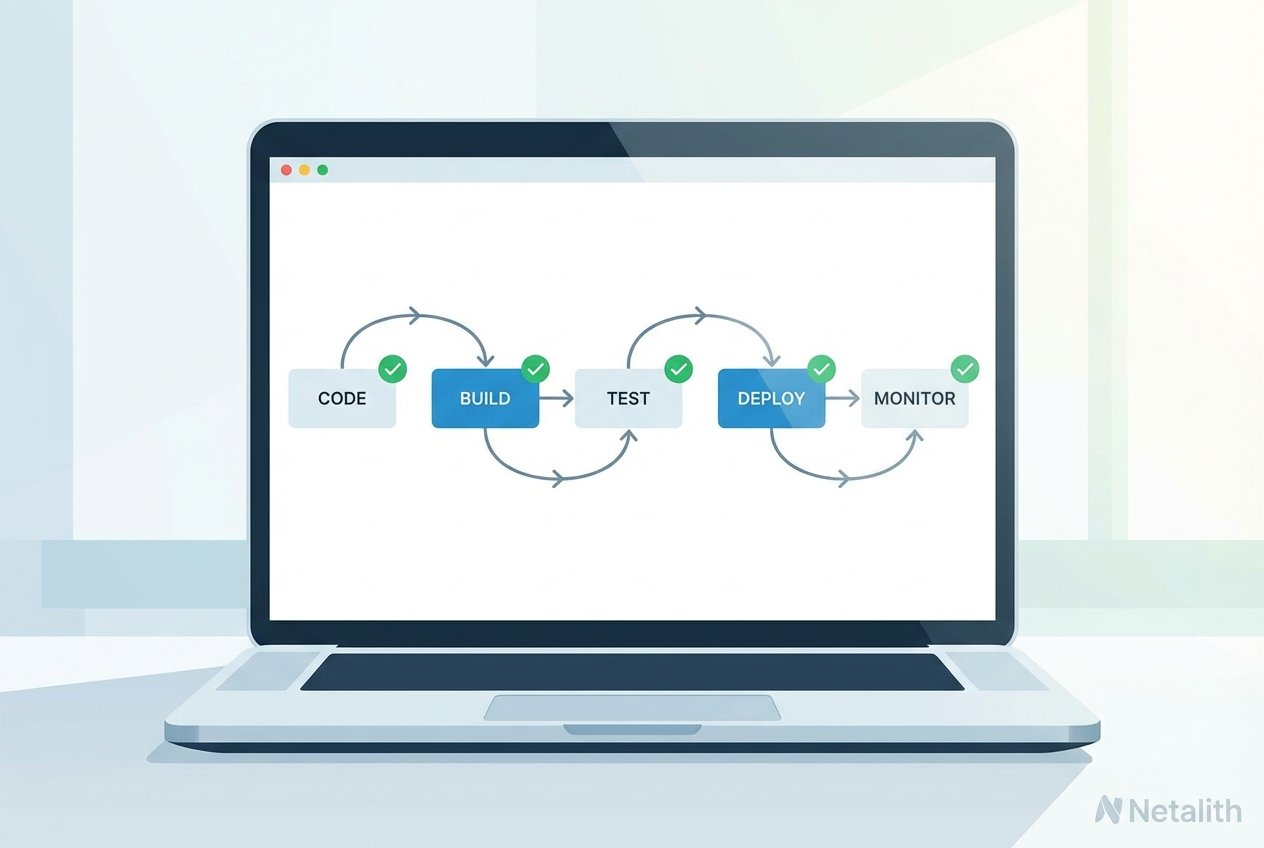
To fully grasp Automation pipeline, you must understand the journey your code takes from a developer's laptop to a live server. These continuous integration continuous deployment steps form the backbone of modern engineering workflows.
Version Control and the Automated Build Process
Everything starts with version control with git. When a developer pushes a commit to a repository (like GitHub or GitLab), it triggers the first phase of the Continuous delivery basics workflow: the automated build process. The CI server fetches the source code, resolves dependencies, and compiles the application into an executable artifact. If the build fails, the pipeline halts immediately, preventing broken code from advancing.
Running an Automated Testing Pipeline
Once the build succeeds, the automated testing pipeline takes over. This phase relies heavily on unit testing best practices and clean code principles to verify that new changes haven't introduced regressions. Your automated tests might include unit tests, integration tests, and security vulnerability scans. A robust testing phase is non-negotiable; it guarantees that only high-quality, verified code reaches your users.
Setting Up Your First CI/CD Pipeline Basics Tutorial
Reading about theory is helpful, but engineering is about building. If you are ready to take action, follow this setting up your first Automation pipeline tutorial. In this Deployment pipeline tutorial, we will explore devops workflow basics and introduce one of the most accessible deployment automation tools available today.
CI/CD for Beginners with GitHub Actions
Learning ci cd for beginners with github actions is highly recommended because it is integrated directly into the platform where your code likely already lives. To orchestrate the workflow, you will need to learn a bit of yaml configuration for cicd. This declarative language tells the runner exactly what to do.
Here is a basic build automation guide snippet demonstrating a simple GitHub Actions workflow for a Node.js project:
name: Node.js CI
on:
  push:
    branches: [ "main" ]
jobs:
  build:
    runs-on: ubuntu-latest
    steps:
    - uses: actions/checkout@v3
    - name: Use Node.js
      uses: actions/setup-node@v3
      with:
        node-version: '18.x'
    - run: npm ci
    - run: npm test
By saving this YAML file in your repository's .github/workflows/ directory, you immediately create an automated process that installs dependencies and runs tests every time you push to the main branch.
Deployment Automation Tools to Consider
As you advance beyond Automation pipeline and delve deeper into system design basics, you will discover that the tech ecosystem is filled with powerful deployment automation tools. While GitHub Actions is fantastic for beginners, you might also encounter:
- Jenkins: A veteran, open-source automation server with a massive plugin ecosystem.
- GitLab CI/CD: A highly integrated, all-in-one platform known for excellent container registry support.
- CircleCI: A cloud-native tool celebrated for its speed and straightforward configuration.
Frequently Asked Questions (FAQ
What is the difference between Continuous Delivery and Continuous Deployment?
Continuous Delivery ensures that your code is always in a deployable state, but releasing it to production requires a manual click of a button. Continuous Deployment takes it one step further, automatically pushing every passed change directly to production without human intervention.
What are the best deployment automation tools for beginners?
For beginners learning Automation pipeline, GitHub Actions and GitLab CI are widely considered the best starting points because they are tightly integrated with popular version control platforms and offer excellent free tiers.
How long does it take to learn CI/CD pipeline basics?
If you already understand basic programming and version control with Git, you can grasp core pipeline concepts and write your first simple YAML configuration in just a few days.
Is YAML configuration required for all CI/CD tools?
While almost all modern CI/CD tools (like GitHub Actions, GitLab, and CircleCI) use YAML for configuration because it is human-readable, some legacy tools or enterprise platforms might use Groovy scripts or proprietary UI-based configurations.
Conclusion
Congratulations! You have successfully navigated the core concepts of CI/CD pipeline basics. By automating your workflow, you’ve taken a significant step toward professional DevOps maturity. Remember, the goal of any CI CD tutorial is to empower you to build more reliable software with less manual effort. Start small with tools like GitHub Actions, master your pipeline basics, and continue evolving your deployment strategies as your projects grow.