Python Command Line Arguments
Guide to parsing python command line arguments using sys.argv, getopt, and argparse with examples and recommendations.
Drake Nguyen
Founder · System Architect
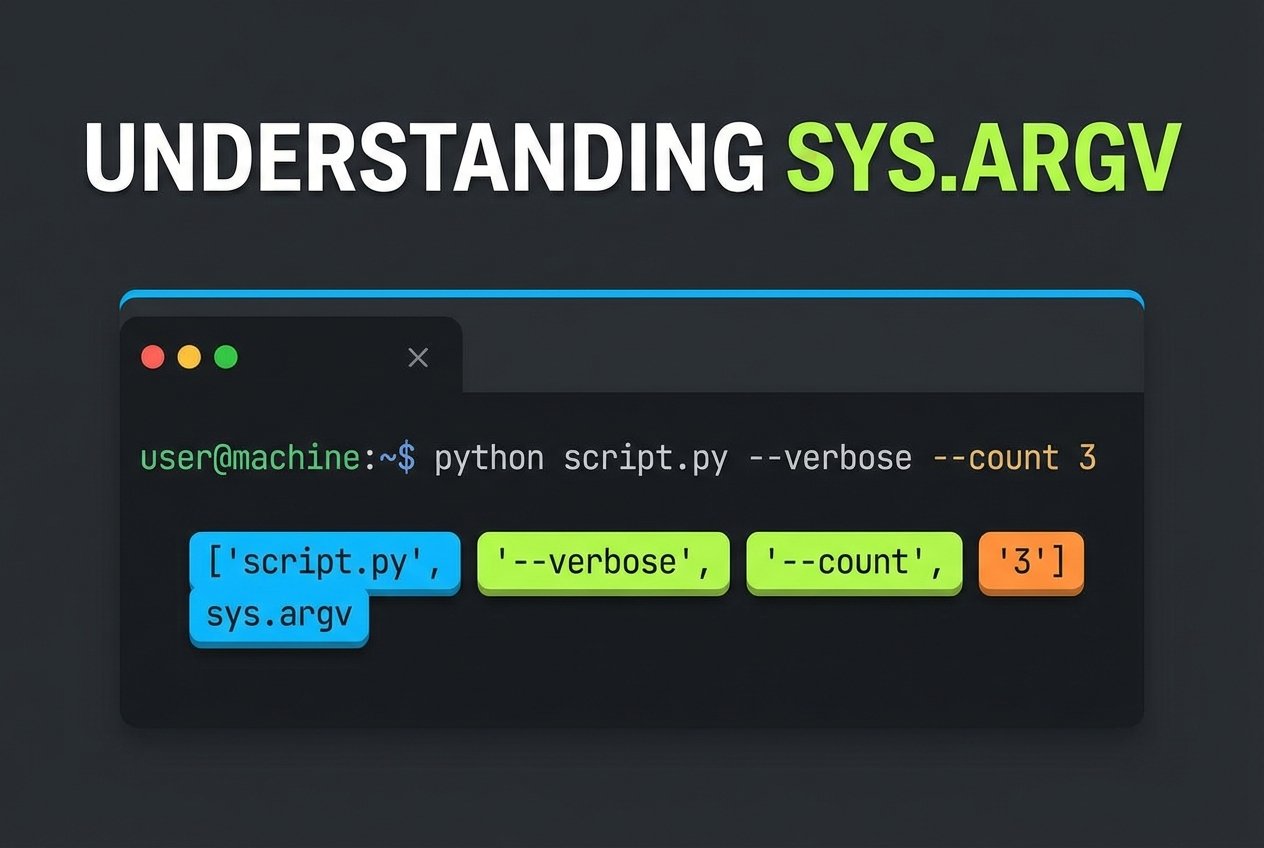
Python command line arguments are values passed to a script when it is executed from a terminal or shell. Most programming languages support command line parameters; in Python you can accept both positional parameters and options (flags) to control script behavior. This guide shows common methods to parse python command line arguments and when to use each approach.
Common methods to parse command line arguments in Python
- sys.argv (simple list of arguments)
- getopt module (C-style option parsing)
- argparse module (recommended CLI parser)
sys.argv: quick and lightweight
The sys module exposes command line arguments in a list named sys.argv. This is useful for tiny scripts where you only need raw strings and minimal parsing. Keep in mind you must validate types and handle missing values manually.
import sys

# All arguments including the script name
print(type(sys.argv))
print('All args:', sys.argv)

# Typical pattern: ignore the script name and process remaining args
for idx, value in enumerate(sys.argv[1:], start=1):
    print(f'Arg {idx}:', value)
Use sys.argv for simple parameter lists or when you need full control over parsing. See "python sys.argv example" for common usage patterns.
getopt: C-style option parsing
The getopt module parses short and long options similar to the C getopt() function. It is handy for scripts that expect option/value pairs but you prefer a lower-level API than argparse.
import sys
import getopt

def main():
    argv = sys.argv[1:]
    try:
        opts, args = getopt.getopt(argv, 'ho:v', ['help', 'output='])
    except getopt.GetoptError as err:
        print('Error:', err)
        sys.exit(2)

    output = None
    verbose = False
    for opt, val in opts:
        if opt in ('-h', '--help'):
            print('Usage: script.py [-v] [-o output] [input]')
            sys.exit()
        elif opt in ('-o', '--output'):
            output = val
        elif opt == '-v':
            verbose = True

    print('Options:', opts)
    print('Remaining args:', args)

if __name__ == '__main__':
    main()
getopt is a good choice when you want behavior close to traditional Unix-style utilities. Compare python getopt vs python argparse when deciding which fits your project.
argparse: powerful and user-friendly (recommended)
The argparse module is the modern, high-level library for building command line interfaces. It automatically generates help messages, supports positional and optional arguments, validates types, and provides sensible defaults.
import argparse

parser = argparse.ArgumentParser(description='Example: parse python command line arguments')

# Positional argument
parser.add_argument('input', help='Input file path')

# Optional arguments
parser.add_argument('-o', '--output', help='Output file path', default='out.txt')
parser.add_argument('-n', '--number', type=int, help='Number of items', default=5)
parser.add_argument('-v', '--verbose', action='store_true', help='Enable verbose logging')

args = parser.parse_args()

print('Input:', args.input)
print('Output:', args.output)
print('Number:', args.number)
print('Verbose:', args.verbose)
This example demonstrates python argparse positional arguments, optional arguments with default values, type conversion, and a help message that users can view with -h or --help. For more in-depth coverage, search for an argparse tutorial or "python argparse example."
Which approach should you use?
- sys.argv: Best for the simplest scripts or when you need bespoke parsing logic. See
python sys.argv example. - getopt: Useful if you prefer C-like option handling or are porting existing code that uses
getopt(). Look forpython getopt exampleto learn patterns. - argparse: Recommended for most projects. It handles common CLI needs (help messages, default values, positional and optional args) with minimal boilerplate. Search "how to parse command line arguments in python" and "argparse add_argument example" for guided tutorials.
Quick tips for building CLIs in Python
- Provide clear help text and sensible defaults to improve usability.
- Use types in argparse (
type=int,type=float) to validate input early. - Prefer
argparsefor stable scripts and utilities; reservesys.argvfor throwaway one-liners. - For compatibility or minimal dependencies,
getoptremains an option.
References
Official documentation: https://docs.python.org/3/library/sys.html#sys.argv https://docs.python.org/3/library/getopt.html https://docs.python.org/3/library/argparse.html