Linear Vs Binary Search via JavaScript
Compare linear search and binary search in JavaScript with examples (iterative and recursive), Big O analysis, and guidance on when to use each approach.
Drake Nguyen
Founder · System Architect
binary search vs linear search javascript
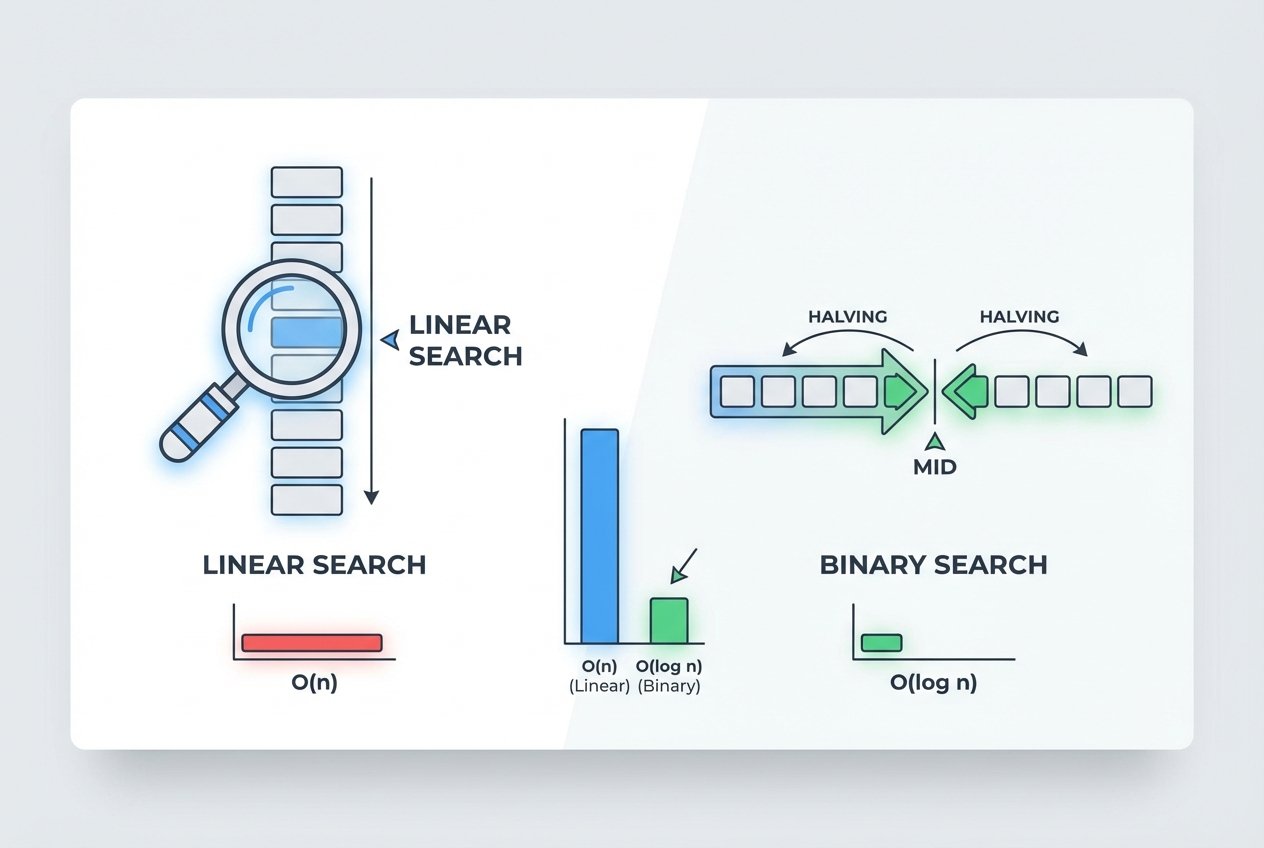
Choosing the right array search strategy in JavaScript affects performance, readability, and scalability. This guide compares linear and binary search in JavaScript, shows example implementations (iterative and recursive), and explains when to pick one over the other using Big O notation.
Prerequisites
This article assumes basic familiarity with JavaScript arrays and loops. I reference time complexity using Big O notation (for example O(n) and O(log n)). If you use binary search, remember the array must be sorted for correctness.
Practice data
Use these example arrays when you want to try the code snippets below. sortedArr is required for binary search to work correctly.
const unsortedArr = [31,27,28,42,13,8,11,30,17,41,15,43,1,36,9,16,20,35,48,37,7,26,34,21,22,6,29,32,49,10,12,19,24,38,5,14,44,40,3,50,46,25,18,33,47,4,45,39,23,2];
const sortedArr = Array.from({length:50}, (_,i)=>i+1);
Linear search
Linear search (also called sequential search) inspects each item until it finds the target. It works on both sorted and unsorted arrays, but its runtime grows linearly with the array size.
- Time complexity: O(n)
- Space complexity: O(1)
- Good for: small arrays or one-off searches where sorting is more expensive than scanning
// linear search - returns index or -1
function linearSearch(arr, target) {
  for (let i = 0; i < arr.length; i++) {
    if (arr[i] === target) return i;
  }
  return -1;
}

// built-in alternatives (also O(n))
// arr.indexOf(target)
// arr.find(x => x === target)
Binary search
Binary search uses a divide-and-conquer approach: repeatedly compare the target with the middle element and discard half of the search space each step. It requires a sorted array but reduces the number of comparisons dramatically.
- Time complexity: O(log n)
- Space complexity: O(1) for iterative, O(log n) for typical recursive stack
- Good for: frequent searches on large sorted arrays or when you can afford to sort once and search many times
Iterative implementation
// iterative binary search - returns index or -1
function binarySearchIterative(arr, target) {
  let left = 0;
  let right = arr.length - 1;

  while (left <= right) {
    const mid = Math.floor((left + right) / 2);
    if (arr[mid] === target) return mid;
    if (target < arr[mid]) right = mid - 1;
    else left = mid + 1;
  }

  return -1;
}
Recursive implementation
// recursive binary search - returns index or -1
function binarySearchRecursive(arr, target, left = 0, right = arr.length - 1) {
  if (left > right) return -1;

  const mid = Math.floor((left + right) / 2);
  if (arr[mid] === target) return mid;
  if (target < arr[mid]) return binarySearchRecursive(arr, target, left, mid - 1);
  return binarySearchRecursive(arr, target, mid + 1, right);
}
Comparison and practical guidance
- Binary search is asymptotically faster for large sorted arrays: O(log n) vs linear O(n).
- If your data is unsorted and you need a single search, a linear search or built-in indexOf/find is often cheaper than sorting first (sorting is typically O(n log n)).
- For many repeated searches, sort once then use binary search repeatedly to amortize the sort cost.
- Built-ins like indexOf or find are convenient but still O(n); they are not replacements for binary search on sorted data when performance matters.
- Remember edge cases: empty arrays, duplicates (binary search can return any matching index), and integer vs non-integer comparisons when customizing comparisons.
When to use which
- Use linear search (linear vs binary search in JavaScript with example): tiny arrays, single ad-hoc lookups, or when the array order must remain unchanged and sorting costs too much.
- Use binary search (binary search requires sorted array JavaScript): large arrays that are already sorted or when you can sort once and run many searches.
Conclusion
binary search vs linear search javascript comes down to data size and whether the array is sorted. Linear search is simple and flexible but scales linearly. Binary search requires a sorted array but gives O(log n) performance, which is crucial for large datasets. Use the code examples above to test both approaches and measure performance for your specific use case.