Introduction to Iterables and Iterators in JavaScript
Clear, original guide to JavaScript iterables and iterators: definitions, Symbol.iterator, iterator protocol, custom iterable example, manual next() usage, and practical tips.
Drake Nguyen
Founder · System Architect
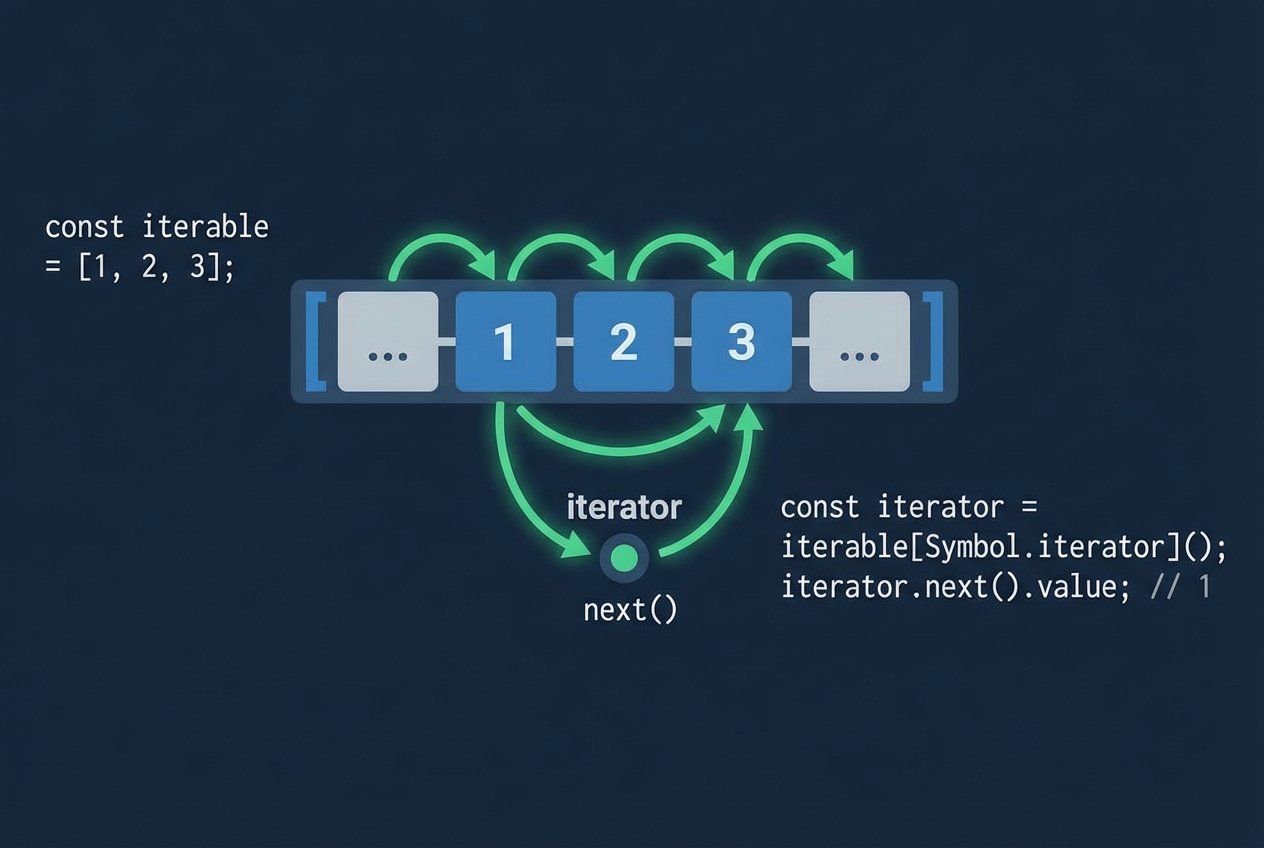
Overview: JavaScript iterables and iterators
JavaScript provides a standard way to walk through collections: the iterable protocol and the iterator protocol. Together these enable features like the for...of loop JavaScript developers use every day, the spread operator (...), and other language constructs that expect a sequence of values. Built-in types such as Array, Map, and Set are iterable by default via Symbol.iterator, but plain objects are not—unless you make them so.
Iterable vs. iterator: the core concepts
An iterable is any object that exposes a method keyed by Symbol.iterator. That method is an iterator factory: when called it returns an iterator. An iterator is an object that follows the iterator protocol by providing a next() method which returns an object shaped like { value, done }.
- Iterable protocol: the presence of a callable Symbol.iterator method on an object.
- Iterator protocol: an object with next() that returns { value, done } where done is a boolean and value is the current item.
In short: an iterable produces iterators, and iterators yield values one at a time. This separation allows multiple independent traversals of the same iterable because each call to Symbol.iterator can return a fresh iterator.
Why plain objects aren’t iterable by default
Plain JavaScript objects ({} ) Netalith not expose Symbol.iterator out of the box for a few practical reasons:
- Objects are highly flexible and user-shaped; silently introducing an iterator could change behavior in unexpected ways.
- The shape and semantics of object data vary, so a single iteration strategy wouldn’t suit every use case.
- There are alternative built-ins for keyed collections, like Map, when you need predictable iteration semantics.
When you need iteration over an object’s values or keys, you can add a custom iterable implementation or use helpers such as Object.keys(), Object.values(), or Object.entries() to derive an iterable view.
How to create a custom iterable in JavaScript
Creating a custom iterable JavaScript object means implementing the Symbol.iterator method so it returns an iterator object. The iterator must implement next() and follow the iterator protocol. Here’s a concise example that makes a plain object iterable by exposing its nested values in sequence.
// Custom iterable example: iterate nested biomes
const Reptiles = {
  biomes: {
    water: ["Alligators", "Crocs"],
    land: ["Snakes", "Turtles"]
  },

  [Symbol.iterator]() {
    const groups = Object.values(this.biomes);
    let groupIndex = 0;
    let itemIndex = 0;

    return {
      next() {
        while (groupIndex < groups.length) {
          const currentGroup = groups[groupIndex];

          if (itemIndex < currentGroup.length) {
            return { value: currentGroup[itemIndex++], done: false };
          }

          groupIndex++;
          itemIndex = 0;
        }

        return { value: undefined, done: true };
      }
    };
  }
};

// Use with for...of (for...of uses Symbol.iterator internally):
for (const r of Reptiles) console.log(r);
This custom iterable demonstrates how Symbol.iterator on an object acts like an iterator factory and how the returned iterator exposes next(). The example also shows how to avoid out-of-bounds access by checking indexes before returning values.
Manual iteration with next()
Although for...of loop JavaScript provides consumes iterables automatically, you can obtain the iterator yourself and call next() manually to control traversal. This is useful when you need to pause, resume, or interleave iteration with other logic.
// Manual iteration example
const iterator = Reptiles[Symbol.iterator]();

console.log(iterator.next()); // { value: 'Alligators', done: false }
console.log(iterator.next()); // { value: 'Crocs', done: false }
console.log(iterator.next()); // { value: 'Snakes', done: false }
console.log(iterator.next()); // { value: 'Turtles', done: false }
console.log(iterator.next()); // { value: undefined, done: true }
// Further calls typically continue returning { value: undefined, done: true } per the iterator protocol.
Note: the iterator protocol requires that next() return an object with value and done; after completion, implementations normally return done: true. A robust custom iterator should avoid throwing exceptions when exhausted.
Practical notes and common patterns
- Generators (function*) are a concise way to implement iterators and custom iterables without managing state manually.
- Built-in iterables: Arrays, Maps, Sets, Strings, and many DOM collections implement Symbol.iterator.
- The spread operator and Array.from consume any iterable, so implementing Symbol.iterator makes your object integrate with many language features.
- To iterate object values without adding Symbol.iterator, Object.values(obj) returns an array you can iterate normally.
Conclusion
Understanding JavaScript iterables and iterators clarifies how constructs like for...of and the spread operator work. By implementing Symbol.iterator you can make plain objects iterable, support custom traversal strategies, and integrate cleanly with ES6 iteration protocols. Whether you use manual next() calls, for...of loops, or generator functions, the iterable and iterator protocols give you a consistent, extensible approach to sequence processing.