How To Create Drag and Drop Elements with Vanilla JavaScript and HTML
Learn how to build vanilla JavaScript drag and drop using the HTML Drag and Drop API: draggable attributes, dragstart/dragover/drop handlers, and DataTransfer setData/getData to move elements without libraries.
Drake Nguyen
Founder · System Architect
Introduction
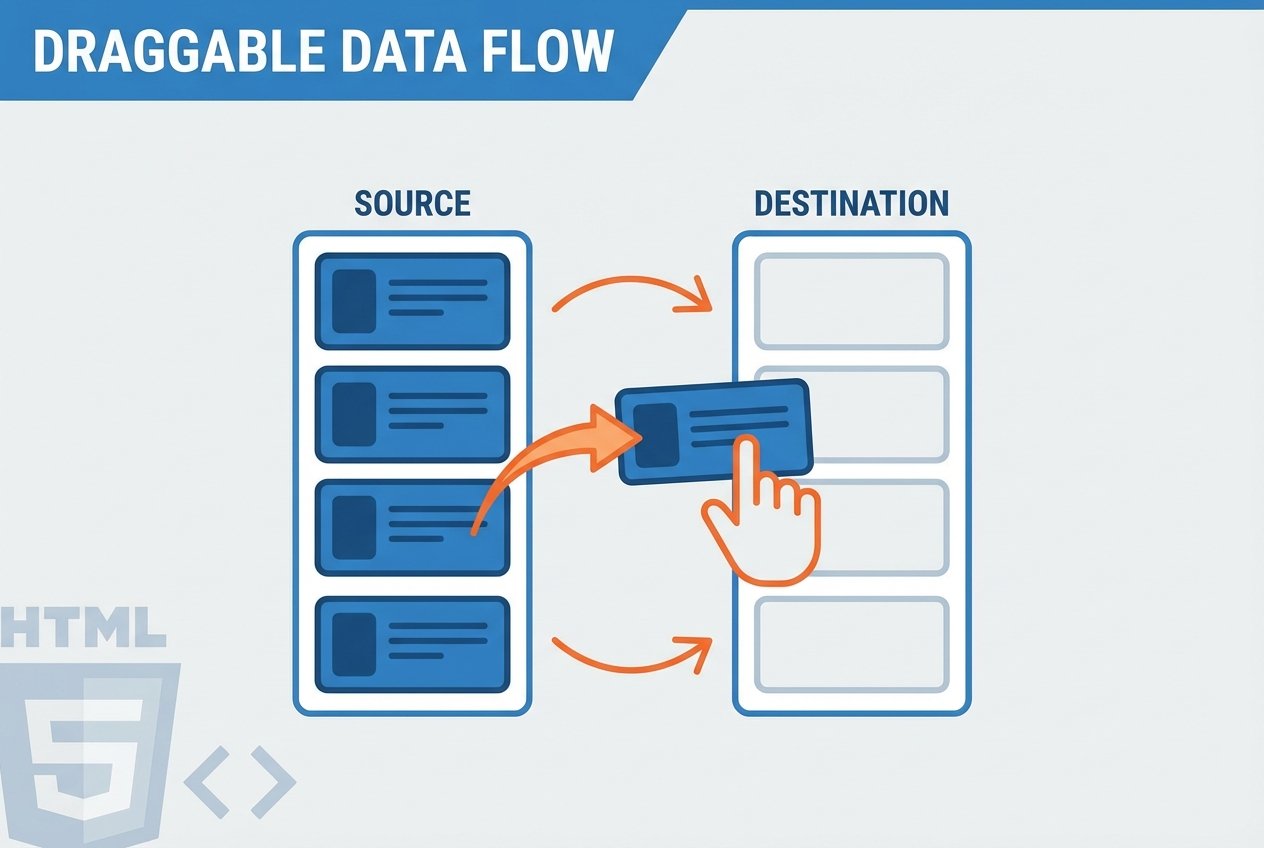
This guide shows how to implement vanilla JavaScript drag and drop using the native HTML Drag and Drop API. You will learn how draggable HTML elements, dropzones, and the DataTransfer object work together with dragstart, dragover, and drop events to build lightweight drag-and-drop functionality without libraries.
Prerequisites
- A modern browser with HTML5 drag-and-drop support (most current versions of Chrome, Firefox, Safari, and Edge).
- Basic familiarity with JavaScript, the DOM, and event handlers.
Step 1 — Setup: Markup and Styles
Create a simple HTML file that contains a draggable element and a drop target. Below are minimal examples for index.html and style.css to get started with a drag and drop vanilla JS demo.
<!-- index.html -->
<!doctype html>
<html>
  <head>
    <meta charset="utf-8">
    <title>Vanilla Drag and Drop</title>
    <link rel="stylesheet" href="style.css">
  </head>
  <body>
    <div class="board">
      <div id="item-1" class="item" draggable="true">Drag me</div>
      <div class="dropzone">Drop here</div>
    </div>
    <script src="script.js"></script>
  </body>
</html>
/* style.css (basic) */
.board { display:flex; gap:12px; font-family:sans-serif; }
.item { background:#4AAE9B; padding:10px; cursor:move; }
.dropzone { background:#6DB65B; padding:10px; min-width:120px; }
Step 2 — Events and DataTransfer in JavaScript
The HTML Drag and Drop API exposes several DOM events you can use: dragstart, dragover, drop (plus dragenter, dragleave, dragend, and ondrag). The DataTransfer object (accessible via event.dataTransfer) is central: use setData when dragging starts and getData on drop. Prevent default behavior on dragover to accept drops.
// script.js (core handlers)
function onDragStart(event) {
  // save the id so the drop handler can find this element
  event.dataTransfer.setData('text/plain', event.target.id);
  // optional: style change while dragging
  event.currentTarget.style.backgroundColor = 'yellow';
}

function onDragOver(event) {
  // allow drop by preventing default browser handling
  event.preventDefault();
}

function onDrop(event) {
  event.preventDefault();
  const id = event.dataTransfer.getData('text/plain');
  const dragged = document.getElementById(id);
  const dropzone = event.target;
  if (dragged && dropzone) {
    dropzone.appendChild(dragged);
  }
  // cleanup
  event.dataTransfer.clearData();
}

// attach handlers (example wiring without inline attributes)
const item = document.getElementById('item-1');
const zone = document.querySelector('.dropzone');
item.addEventListener('dragstart', onDragStart);
zone.addEventListener('dragover', onDragOver);
zone.addEventListener('drop', onDrop);
Notes and best practices
- Use the draggable attribute (draggable="true") to make HTML elements draggable. Some elements (images, links) are draggable by default in browsers.
- Prefer DataTransfer setData/getData for identifying items. For complex state you can store identifiers or JSON-encoded strings and parse them on drop.
- Call preventDefault() in dragover to create a valid dropzone; otherwise many elements won’t accept drops.
- Be mindful of accessibility: keyboard and touch users may need alternative interactions since native drag and drop varies across devices.
Step 3 — Advanced patterns: multiple items and dropzones
To build a to-Netalith board or multi-column layout, give each draggable element a unique id and attach the same handlers. Multiple dropzone JavaScript targets can share onDragOver and onDrop logic to move items between columns. You can also implement copy semantics instead of moving by cloning elements on drop.
// Example: initialize multiple items dynamically
const items = document.querySelectorAll('.item');
const dropzones = document.querySelectorAll('.dropzone');
items.forEach(i => i.addEventListener('dragstart', onDragStart));
dropzones.forEach(z => {
  z.addEventListener('dragover', onDragOver);
  z.addEventListener('drop', onDrop);
});
Common pitfalls
- Internet Explorer compatibility: older IE versions expect different types like 'text' instead of 'text/plain' for setData/getData.
- Touch devices: native HTML5 drag and drop is inconsistent on some mobile browsers; consider a touch-specific implementation for broad support.
- Event target vs currentTarget: when dropping, event.target may be a child node; use logic to locate the intended dropzone element before appendChild.
Conclusion
Using the HTML Drag and Drop API you can implement a lightweight, native vanilla JavaScript drag and drop solution without external libraries. This approach relies on draggable HTML attributes, DragEvent handlers, and DataTransfer setData getData. It scales from a simple single-item demo to a full to-Netalith list with multiple draggable elements and dropzone JavaScript areas.
Further reading: review the HTML Drag and Drop API documentation and examples to learn about additional events (dragenter, dragleave, dragend) and advanced use cases.